| HD Ready LCDTV | User Manual |
p.20
BASIC OPERATION
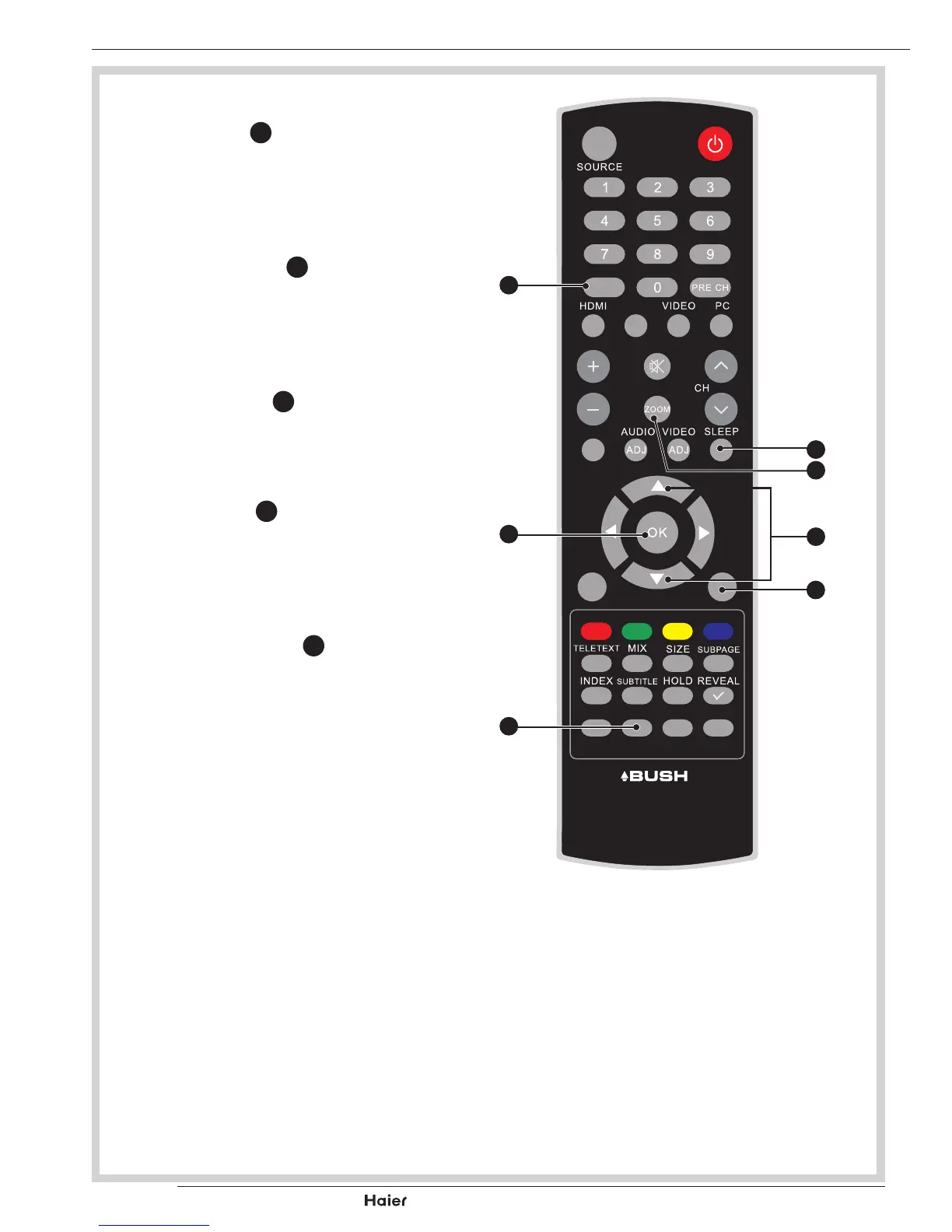
EPG
• Press EPG
E
to display electronic
program guide in TV mode.
See g. 31.
CHANNEL LIST
• Press CH-LIST
x
to display a list of
channels.
See g. 31.
SLEEP
• Press SLEEP
O
to turn the LCD TV
off after a preset time. See g. 31.
INFO
• Press INFO
a
to display the current
signal status, including input source/
channel audio mode. See g. 31.
PICTURE FORMAT
• Press the ZOOM
Q
on the remote
control to select the picture format
menu. See g. 31.
FAV
DUAL
EPG
YPbPr
CH-LIST USB FREEZE
MENU
/EXIT
INFO
fig. 31
O
Q
X
E
Y
x
a
Vol



 To Next Page