14
●
:S-E,C-E ブザー音
設定モード
●センサーエラー、はんだこてエラー時の
ブザー音設定モードに移ると
または
が表示されます。
: エラー音が出ません。
: エラー音が出力されます。
または のボタンで選択し ボタンを
押します。
● :
設定温度到達音設定モード
●設定温度到達時のブザー音設定モードに移
ると
または が表示されます。
: はんだこてが設定温度に到達して
もブザーは鳴りません。
: はんだこてが設定温度に到達する
とブザーが鳴ります。
または のボタンで選択し ボタンを
押します。
●
オートスリーブ機能の ON/OFF 設定モード
に
移ると
または が表示されます。
: オートスリープ機能の設定時間に
関わらず、オートスリープ機能が
オフになります。
: オートスリープ機能がオンになり
オートスリープ時間が有効になり
ます。
または のボタンで選択し ボタンを
押します。
● :
オートスリープ機能の
ON/OFF 設定モード
注記:
オートスリープ機能が働いている際は、こて台
からこて部を取り上げるか、
または ボタ
ンを押すことで復帰します。
● :オフセットフリー設定
モード
●オフセットフリー設定モードに移ると
または が表示されます。
: カードを差し込まないとオフセッ
トできません。
:カードを差し込まなくてもオフ
セット値入力できます。
または のボタンで選択し ボタンを
押します。
69
●
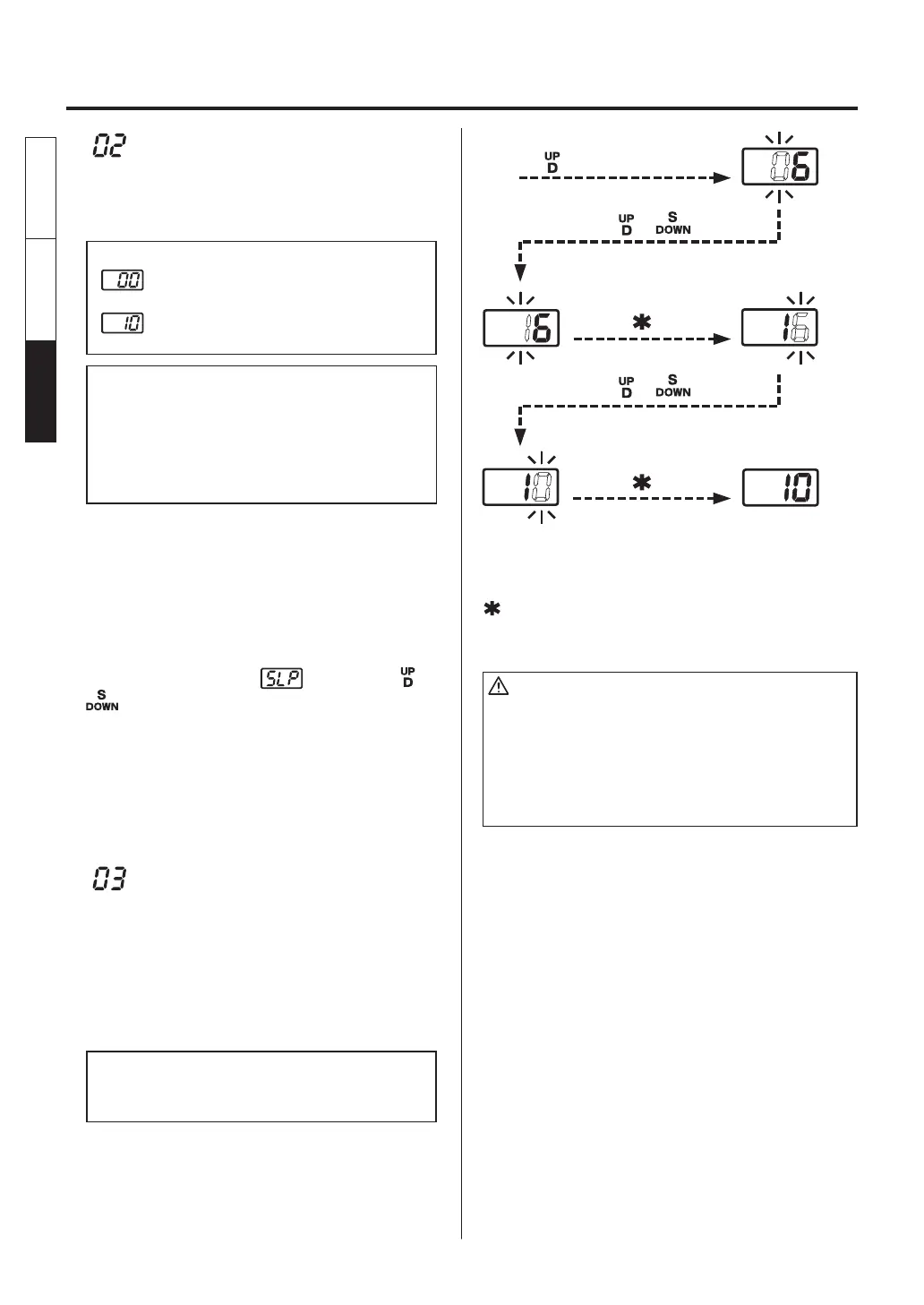
: Auto sleep setting
Set the time until the auto sleep function
activates after the soldering iron is set on the iron
holder.
Auto sleep examples:
Sleep (immediately after the iron is set
on the iron holder)
Sleep (10 minutes after the iron is set on
the iron holder)
NOTE:
• The auto sleep time can be set in units of minutes (up
to 29 minutes).
• The auto sleep time can be set separately for
channels D and S. The channel that can be set is
the channel for which the channel display lamp is
lighting during parameter entry.
●
The tip temperature is reduced to
approximately 200ºC during sleep mode. The
tip temperature varies signifi cantly, depending
on the ambient environment, tip type and iron
types. 200ºC (400ºF) should only be used as
a guide.
●
When the display is , press the or
button, or remove the soldering iron from
the iron holder to resume power to the heater.
●
: Lower temperature error
setting
Lower temperature error
●
When the temperature drops below a set limit,
an error is displayed and the buzzer sounds.
When the temperature returns within the
allowable range, the buzzer stops.
Low temperature setting range
for Celsius: 30 to 150ºC
for Fahrenheit: 50 to 300ºF
Example:
When the set temperature is 350ºC and the
low temperature error setting is 100ºC, a
warning buzzer sounds when the temperature
drops to 250ºC.
Press the or botton.
Press the or botton.
Press the button once.
Press the button once.
Turn the power on while pressing
the button.
●
The hundreds digit begins to flash when
entering the low temperature setting.
Use the method for setting the temperature to
enter and set the low temperature setting.
●
If you enter a value outside the low
temperature setting range (see the table on
the left), the display returns to the hundreds
digit, and you have to enter a correct value.
●
After the low temperature setting is set, the
display returns to the parameter number
selection screen.
The channel D setting is completed as shown in
the preceding diagram. Repeatedly pressing the
button moves to the channel S setting. (The
process is the same as that for channel D.)
CAUTION
• When the setting temperature is 300ºC (570ºF) or less,
the sleep function cannot be set to Sleep even if the sleep
function is set to ON.
• The tip temperature rises to the setting temperature once
at power on even if the sleep time is set to “0”. The tip
temperature will be reduced to the sleep temperature
after the temperature reaches the set temperature.
English
中文 日本文
日本文 中文
English















 To Next Page