6
2. Main Menu Screen 6-25
MONITOUCH Operations
Connection with CU-03(-2) on V7
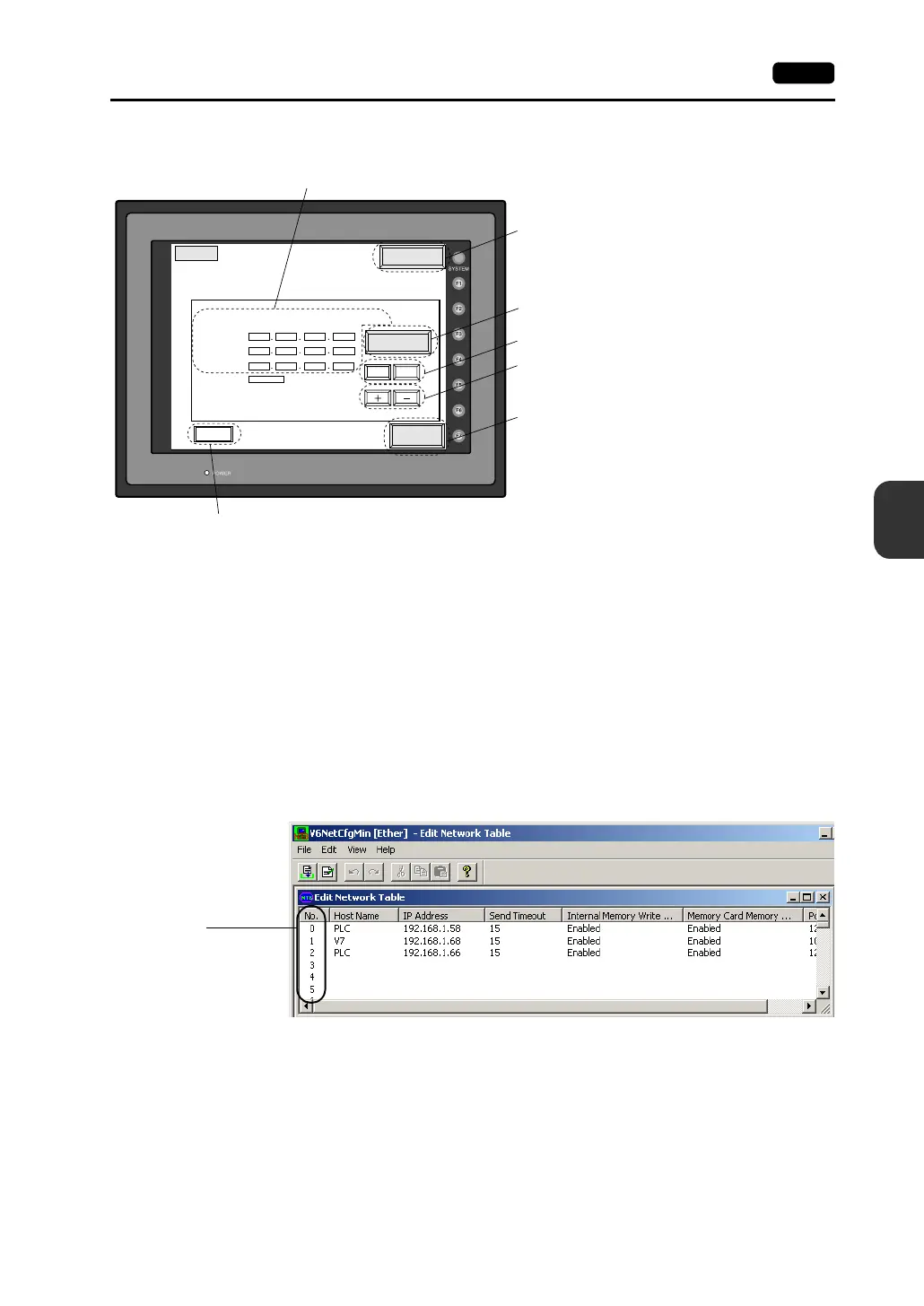
1. Select either [10BASE-T] or [AUI] for the connecting method.
2. Set the IP address.
(If necessary, set the default gateway and subnet mask.)
3. Press the [Setting Finished] switch. The settings are determined.
4. The Main Menu screen is displayed again.
• Rotary Switch and Network Table
Register IP addresses and other information for the V7 series, PLCs or computers that should be
included for Ethernet communications on the V-SFT editor.
([System Setting]→[Network Table Setting]→[Ethernet]→[Edit Network Table])
Set the network table number with the rotary switch on the communication interface unit
CU-03(-2).
00 0
0
0
00
10000
000
10BASE-T
0
0
<- ->
Return
Ethernet
It is not used when the gate way or the sub-mask is zero.
IP Address:
Gate Way:
Sub-mask:
Port No.
Connect
Setting
Finished
Cursor switches
[Increment/Decrement] switch for the value in the
cursor position
Determines the setting such as IP address, and moves
back to the Main Menu screen.
Used for checking the 10BASE-T interface.
Normal: Connect
Error: Disconnect
The Main Menu screen is displayed again.
IP address, gateway and sub-mask settings
Selects [10BASE-T] or [AUI].
Port number to be set with
the rotary switch on the
communication interface
unit CU-03(-2)



 To Next Page