2
5. Modular Jack (MJ1/MJ2) 2-13
Specifications
5. Modular Jack (MJ1/MJ2)
Modular Jack 1 (MJ1)/2 (MJ2)
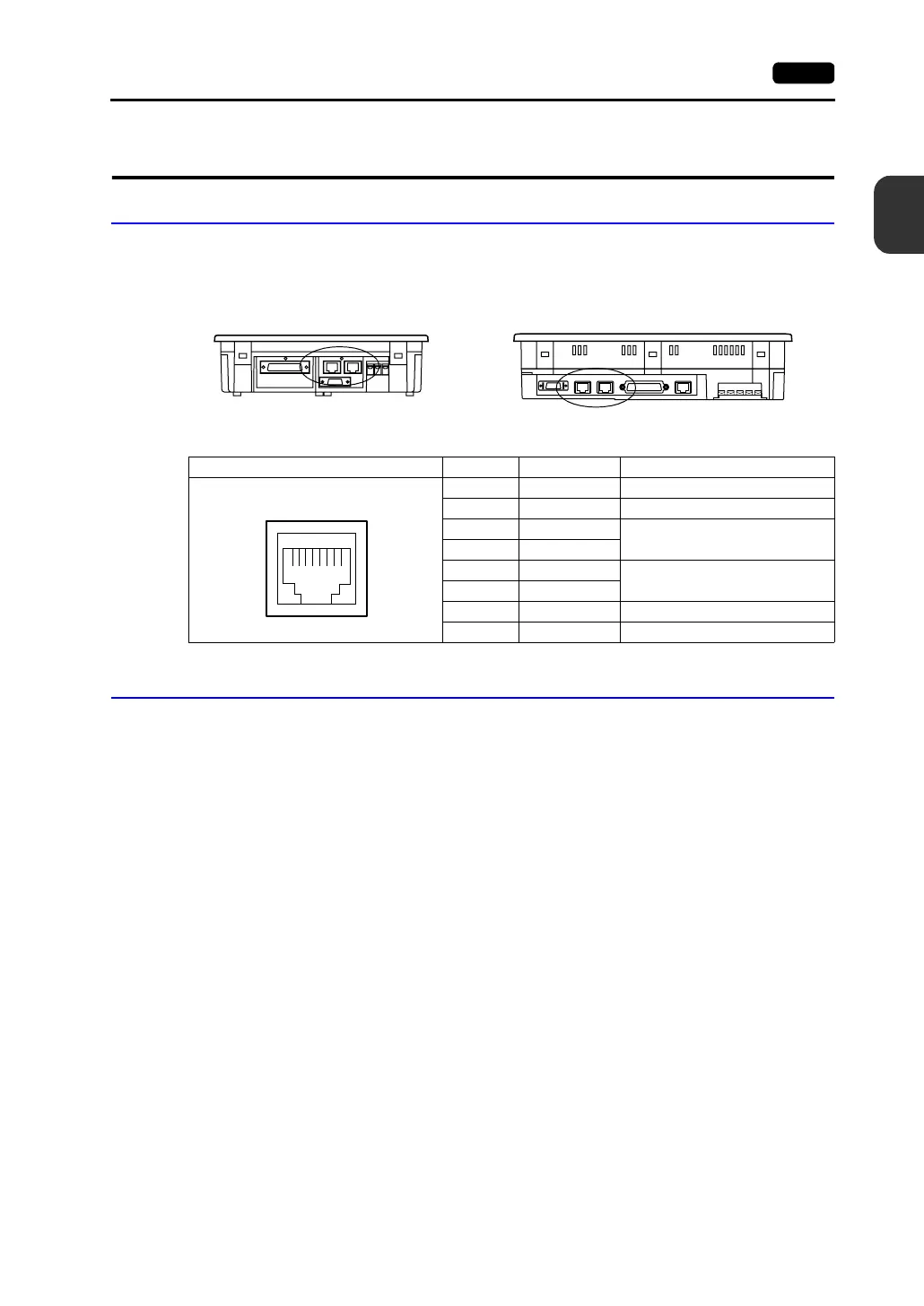
This is a modular connector used for connection for screen data transfer, temperature controller,
barcode reader, card recorder (CREC) or serial extension I/O (V-I/O).
• For V708/V708i: • For V710/V710i/V712/V712i:
Pins of modular jacks 1 and 2 correspond to signals as given below.
V-SFT Setting
1. The use of modular jacks 1 and 2 can be set on the V-SFT editor.
2. Select [Modular] from the [System Setting] menu. The [Modular Jack] dialog is displayed. Select
the use of modular jacks 1 and 2 from the following options.
*1 Refer to the next section “Transferring Screen Data”.
*2 Select this option when connecting the card recorder (CREC).
*3 Refer to the next section “Barcode Reader Connection”.
*4 Select this option when connecting the serial extension I/O (V-I/O).
*5 Select this open when “Multi-link 2” is selected for [Connection] and “1” is set for [Local Port] on the
[Comm. Parameter] dialog.
*6 Select this option when connecting the temperature controller network or PLC2Way.
*7 Select this option for V-Link connection.
Bottom View Bottom View
MJ1/2 Pin No. Signal Name Contents
1 +SD/RD RS-485 + data
2 −SD/RD RS-485 − data
3+5 V
Externally supplied +5 V
MAX 150 mA
4+5 V
5SG
Signal ground
6SG
7 RD RS-232C receive data
8 SD RS-232C send data
12345678
Modular Jack 1 Modular Jack 2
[Editor Port]
*1
[Not Used]
[Card Recorder]
*2
[Card Recorder]
*2
[Barcode]
*3
[Barcode]
*3
[V-I/O]
*4
[V-I/O]
*4
[Multi-Link]
*5
[Multi-Link]
*5
[Temp./PLC2Way]
*6
[Temp./PLC2Way]
*6
[V-Link]
*7
[V-Link]
*7
[Touch Switch]
*8
[Touch Switch]
*8
[Ladder Tool]
*9
[Ladder Tool]
*9
[Modbus Slave]
*10
[Modbus Slave]
*10
[Printer (Serial Port)]
*11
[Printer (Serial Port)]
*11



 To Next Page