FOR MORE INFO REFERENCE OIM MANUAL P/N FSG–MNL–00210 11
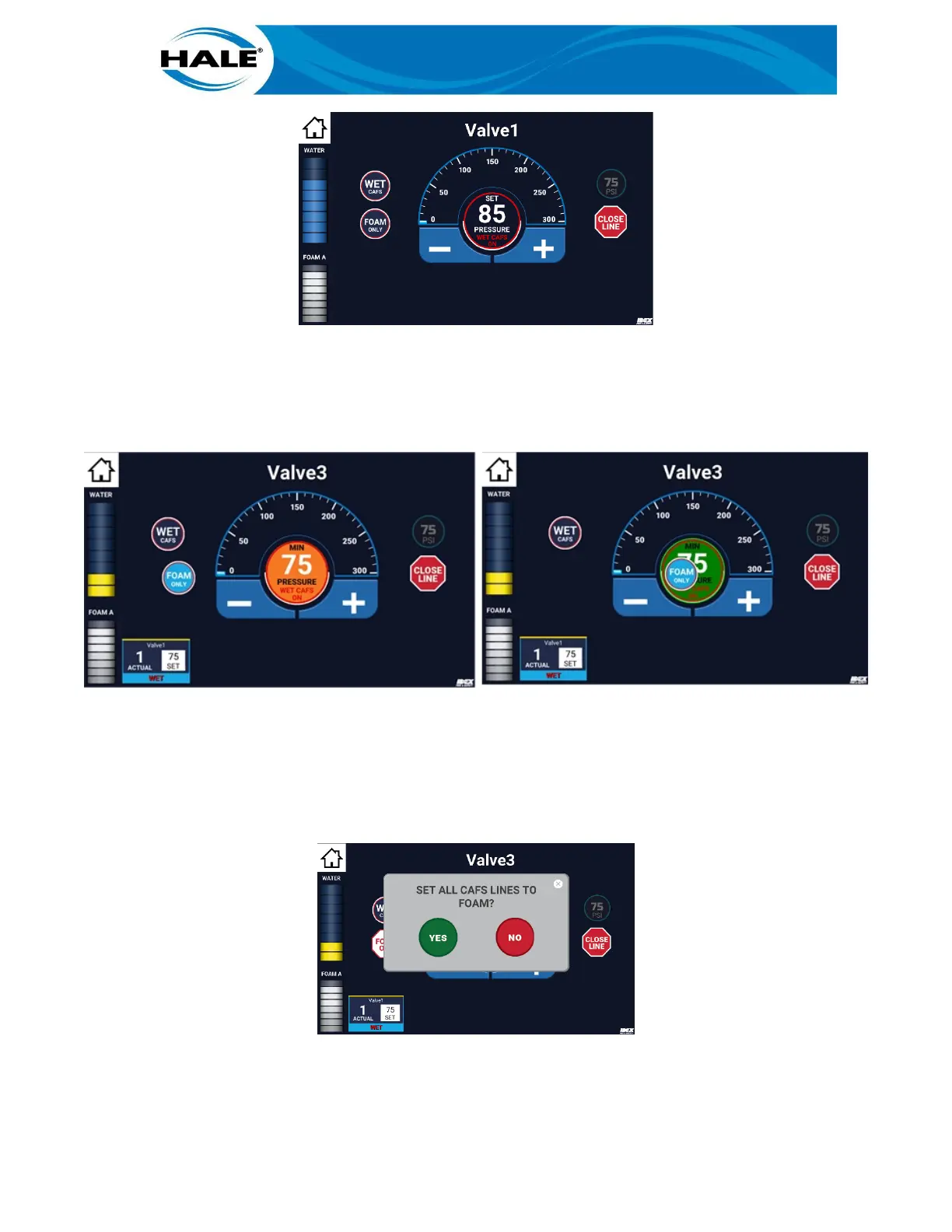
Figure 17. FOAM ONLY Bubble
B. On Valve X screen (discharge valve control screen), swipe FOAM ONLY bubble to target (cen-
ter of widget).
See Figure 18.
Figure 18. Activate FOAM ONLY Bubble
NOTE
If more than one CAFS FOAM ONLY discharge is open the confirmation popup window appears.
See Figure 19. Touch the YES bubble to transition to FOAM ONLY or the NO bubble to make no
change.
Figure 19. Foam Only Popup Confirmation
After confirmation, all discharges previously providing CAFS transition to provide FOAM ONLY.



 To Next Page