45
USING THE "HAMA FIT MOVE" APP
9.3.5 Health monitoring
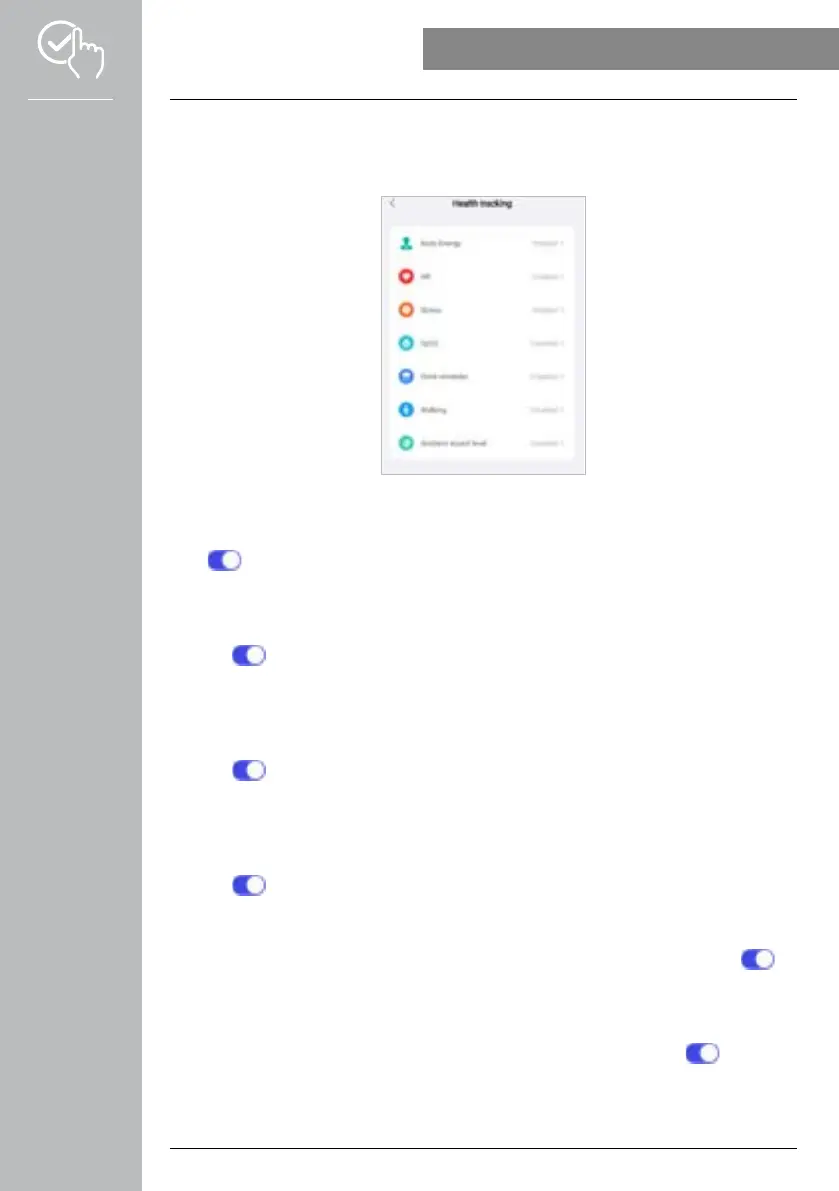
• Tap on [HEALTH MONITORING] to set functions which monitor your health and remind you to
exercise and/or drink water.
9.3.5.1 Body energy
• Tap on [BODY ENERGY] to be able to activate/deactivate this function in the submenu by tapping
on [ ].
9.3.5.2 Heart rate measurement
• Tap on [HR] to define further settings.
• Select whether notifications should be permitted, muted or switched off.
• Tap on [ ] to activate continuous heart rate measurement. The measuring frequency is based on an
intelligent monitoring method, 24 hours a day.
9.3.5.3 Stress measurement
• Tap on [STRESS] to define further settings.
• Select whether notifications should be permitted, muted or switched off.
• Tap on [ ] to activate automatic stress measurement. The measuring frequency is based on an
intelligent monitoring method, 24 hours a day.
9.3.5.4 Blood oxygen measurement
• Tap on [SPO2] to define further settings.
• Select whether notifications should be permitted, muted or switched off.
• Tap on [ ] to activate automatic blood oxygen measurement. The measuring frequency is based on
an intelligent monitoring method, 24 hours a day.
9.3.5.5 Drink reminder
• Tap on [DRINK REMINDER] to activate/deactivate this function in the submenu by tapping on [ ].
You can then define further settings related to the drink reminder function. Your smartwatch then
automatically reminds you to drink something at a set interval by means of vibration and notification.
9.3.5.6 Exercise reminder
• Tap on [WALKING] to activate/deactivate this function in the submenu by tapping on [ ]. You can
then define further settings related to the reminder function. Your smartwatch then automatically
reminds you to exercise a little at a set interval by means of vibration and notification.Further
information is provided in the text below in the app.



 To Next Page