9
GETTING STARTED
5. Getting started
Note
The descriptions and illustrations in these operating instructions are based on using the Hama FIT
move app version 1.4.0 and the smartwatch firmware version 1.01.00. Please note that updates to
the app or smartwatch could lead to deviations from the names and illustrations used.
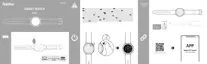
5.1 Charging
• Charge your smartwatch fully before using it for the first time.
• Connect the charging cable to a free USB port on your computer or a USB charger and the charging
contact [6] on your smartwatch. To do this, observe the operating instructions for the USB charger you
are using.
Note
• The charging time for a full battery charge is around 150 minutes. When the battery in the display
is indicated as being fully charged, the charging process is complete and you can disconnect your
smartwatch from the charging cable.
• When the battery charge level drops to just 10%, charge the smartwatch to prevent functional
restrictions. When the battery level is below 20%, you can no longer start an activity, and when the
battery level is below 10%, the automatic heart rate measurement function is deactivated.



 To Next Page