49
USING THE "HAMA FIT MOVE" APP
9.3.8 Other settings
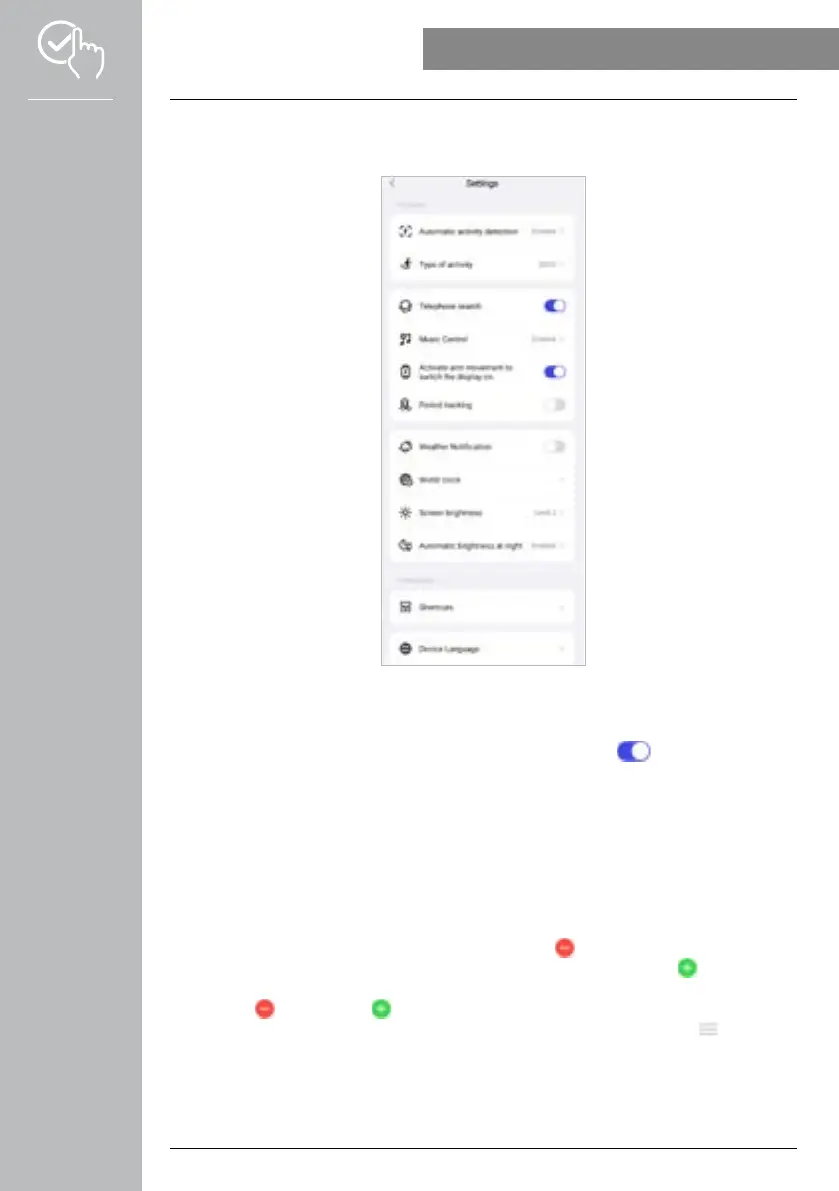
• Tap on [OTHER SETTINGS] to define further settings and activate useful functions.
9.3.8.1 Automatic activity detection
• Tap on [AUTOMATIC ACTIVITY DETECTION] and activate/deactivate the function in the submenu for
specific activities (walking, running, cross trainer, rowing) by tapping on [ ]. When this function is
activated, the smartwatch automatically detects when you engage in an activity for a longer period of
time and records this activity after confirmation.Further information is provided in the text below in the
app.
9.3.8.2 Type of activity
• Tap on [TYPE OF ACTIVITY] to select the activities that will be stored on the smartwatch. There are
110 types of activity available for selection whereby 20 can be displayed on your smartwatch. You
can hide activities and alter the sequence of the activities.Following the next synchronisation with the
smartwatch, the activities will be displayed according to your settings.
• The activities that are at the top of the list and marked by the [
] symbol are currently displayed on
the smartwatch. The activities that are at the bottom of the list and marked by the [ ] symbol are not
currently displayed.
• Tap on the [ ] symbol or the [ ] symbol to remove or add an activity, respectively.
• You can also change the sequence of the activities stored by pressing and holding the [ ] symbol and
moving the respective activity to the respective position.



 To Next Page