PIANO / ENSEMBLE Voice Sections 65
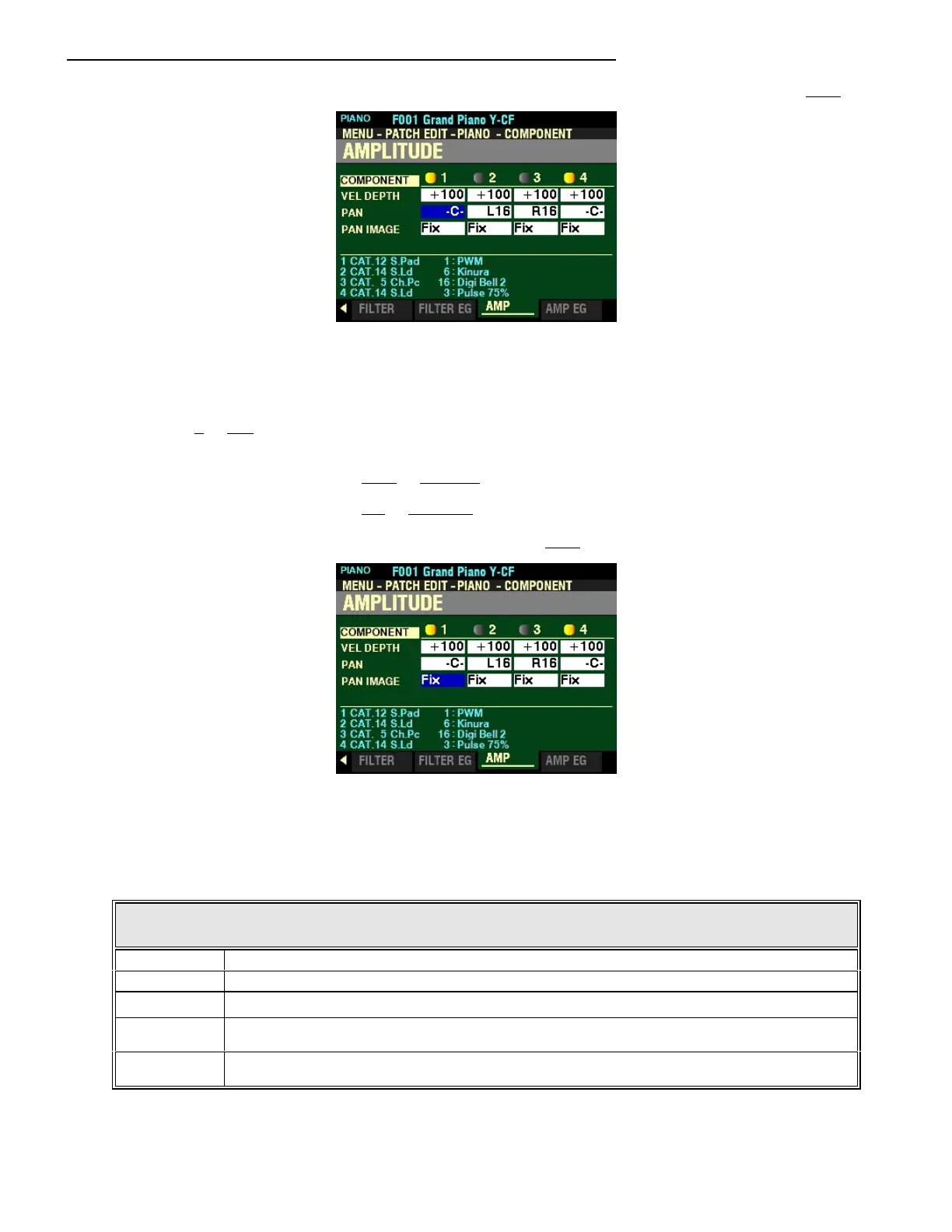
From the screen shown at the bottom of the previous page, press the DIRECTION “q” button once.
The box to the right of “PAN” should be highlighted.
PAN
This Parameter allows you to adjust the directionality or Pan setting for the selected Component. You can
select from 0 to 127. At “-C-“ the sound is located in the center. At “L64" the sound will be in the Left
channel only. At “R63" the sound will be in the Right channel only.
Turn the VALUE knob to the right to increase the Pan Directionality.
Turn the VALUE knob to the left to decrease the Pan Directionality.
From the above screen, press the DIRECTION “q” button once.
The box to the right of “PAN IMAGE” should be highlighted.
PAN IMAGE
This Parameter allows you to adjust the panning by the note. The data chart below shows how the Tone
Wheels are allocated to each Drawbar.
PAN IMAGE
Parameter Description
Fixed No panning - all notes come from the center.
L-R Playing notes chromatically going up on the keyboard will cause the notes on the left to sound first.
R-L Playing notes chromatically going up on the keyboard will cause the notes on the right to sound first.
Pyramid Notes played chromatically going up on the keyboard will start in the center and alternate between
left and right.
Inverted Notes played chromatically going up on the keyboard will start at one end and alternate between
left and right until they meet in the center.
Turn the VALUE knob to make your selection.



 To Next Page