46
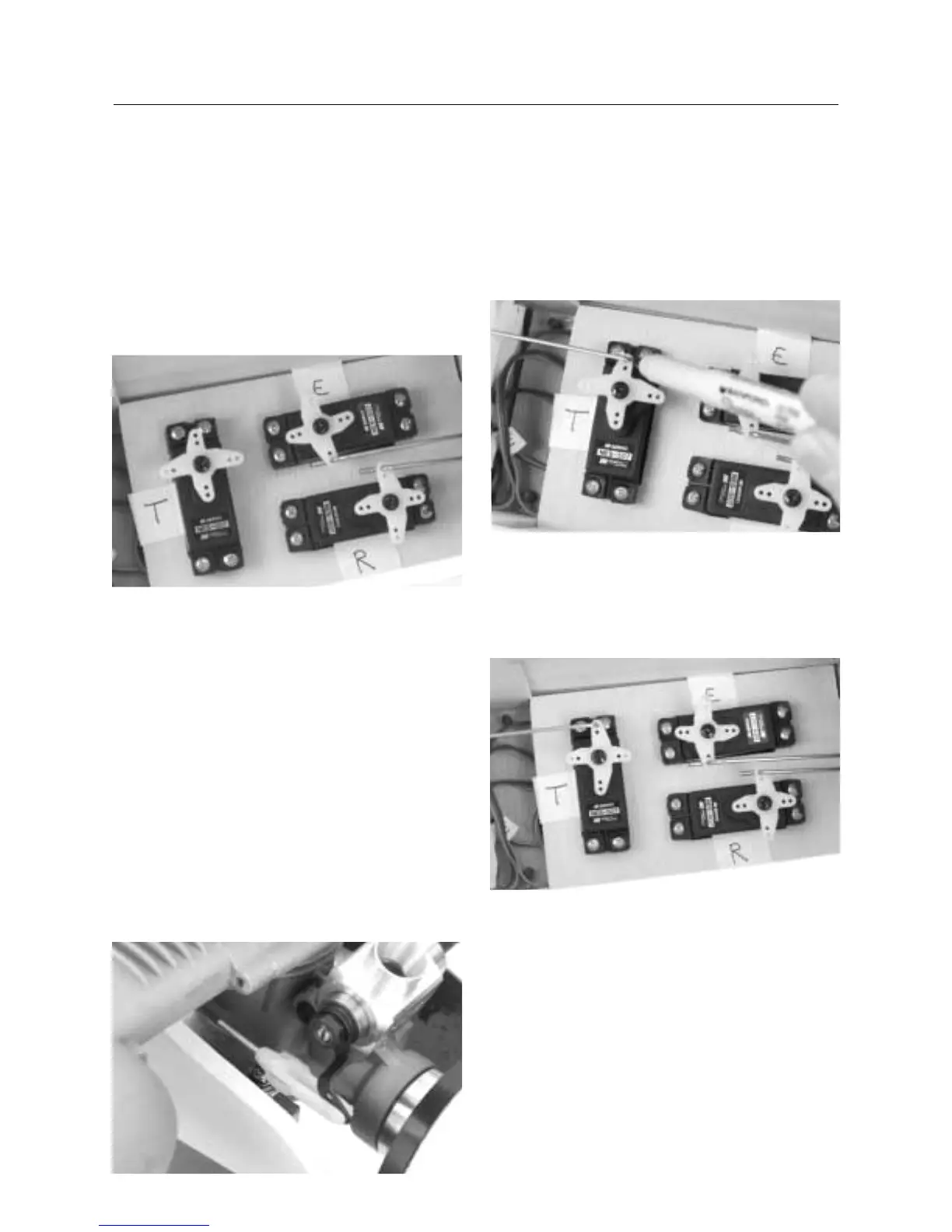
28. Center the elevator servo as we did in Step 21 of this
section and, using a felt tipped pen, place a mark on the pushrod
where it passes the respective servo arm.
29. Using z-bend pliers, make a z-bend at the marked location
on the rod and cut off the excess rod.
30. Insert the z-bend into the servo arm. Note: It may be
necessary to enlarge the servo arm hole slightly to accept the z-
bend.
Throttle Linkage
31. Locate one of the longer threaded rods (17-3/4”) and one
clevis.
32. Screw the clevis onto the threaded end of the rod 12
complete turns.
33. Insert the threaded rod, unthreaded end first, through the
1/16′′ hole in the fuselage firewall. The rod should exit into the
radio/servo tray compartment.
34. Attach the clevis to the throttle lever of the carburetor,
opening the carburetor halfway. Remember to install a small
piece of fuel tubing on the clevis to make sure it doesn’t
accidentally open.
35. Center the throttle servo. Using a felt tipped pen, mark the
rod where it passes the throttle servo arm.
Important Note: It’s very important to make sure that
carburetor remains half open when the
throttle servo is centered.
36. Using z-bend pliers, make a z-bend at the marked spot on
the rod and cut off the excess rod.
37. Attach the z-bend to the throttle servo arm.
CONTINUED
Section 15: Installing the Linkages



 To Next Page