MS1000 Control System
Installation Guide
hanwell.com
Page 15 of 30 GD6063-1
6 MS1000 Output Card ID Number
6.1 ID Number
Each MS1000 Output Card needs to be configured with a unique ID number.
This number is set during build at the factory and will not need adjusting.
Note: The information below on setting the ID number and wiring of the card is for reference
only; the Output Card’s ID does not need to be changed on site.
6.1.1 Setting the ID Number
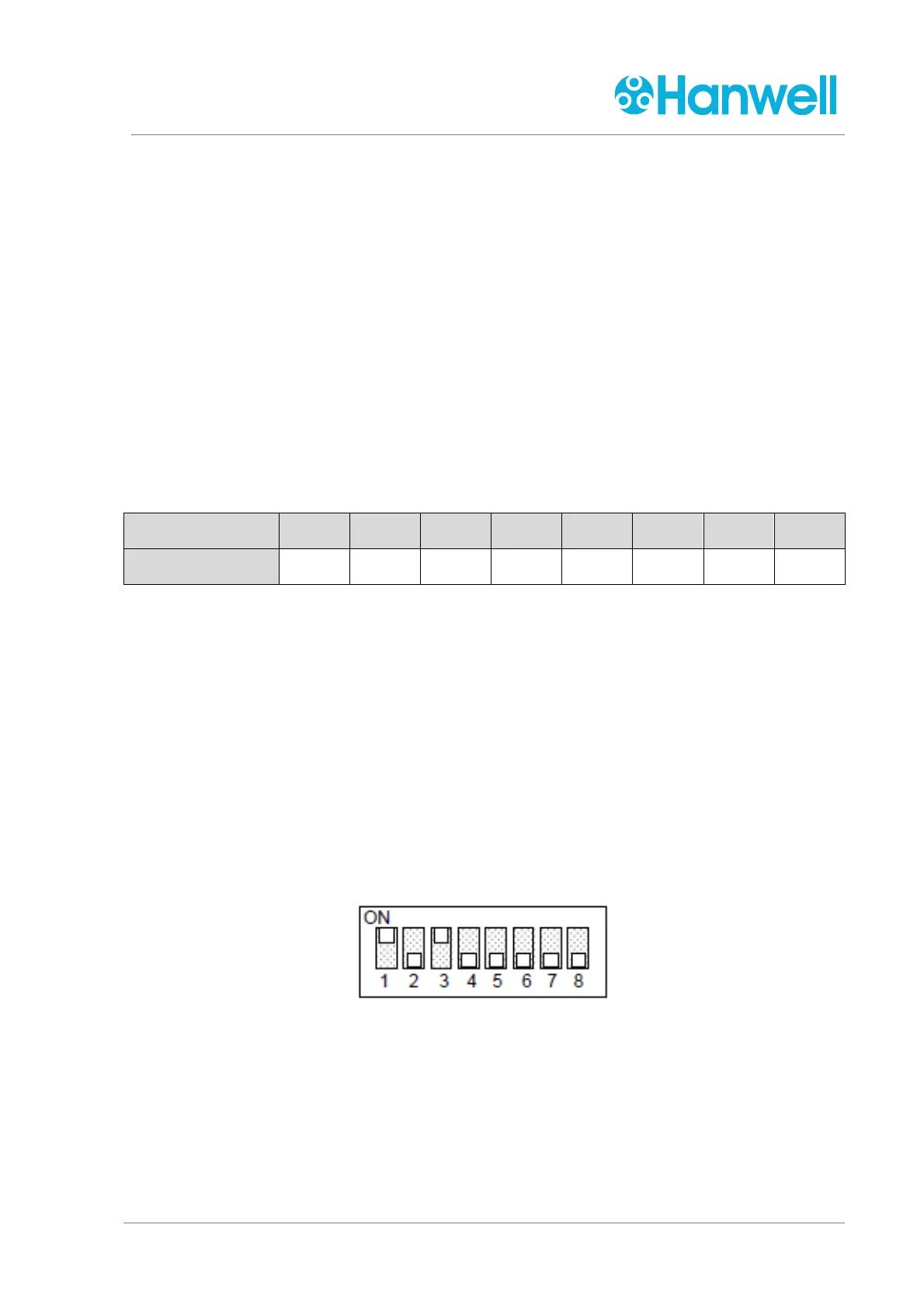
The ID number is set using a set of 8 DIP switches on the PCB. These work in binary fashion,
being either ON or OFF, as shown in Table 1 - ID Number below.
Switch 1 2 3 4 5 6 7 8
Value 1 2 4 8 16 32 64 128
Table 1 - ID Number
When a switch is ON, it contributes its value to the ID number.
When a switch is OFF, it does not contribute its value to the ID number.
Example 1:
If the required Card ID is 19:
19 = 16 + 2 + 1 so switches 5, 2, and 1 should be ON.
Example 2:
If the required Card ID is 5:
5 = 4 + 1 so switches 3 and 1 should be ON.
Table 2 – Setting DIP Switches



 To Next Page