9
Before start Installation Operation
Screen block diagram
Operating screen
Configuration screen
Specifications
Operation
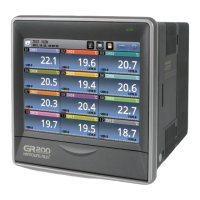
1. Names of each part
※ The execution is denied with the alarm (beep) when the button is deactivated or the configuration
is prohibited.
2. Button operation
Execution button Immediately execute the function on the button
Select button Select one on the list
Input box
Display and configure the number or character. The number
pad or keypad appears when pressed.
Display part
Front LED
Power switch
SD card slot


 To Next Page
 Loading...