Indicator light:
Indicator light indicates operating status/alarms cases.
The green indicator light flashes when the infusion is in normal progress.
If high-priority alarm occurs, the indicator light shall turn red and flash.
If middle-priority alarm occurs during operation, the indicator light shall turn yellow and flash.
If low-priority alarm occurs during operation, the indicator light shall turn yellow but not flash.
* Please refer to Annex II Table 1 for priority of alarm classification.
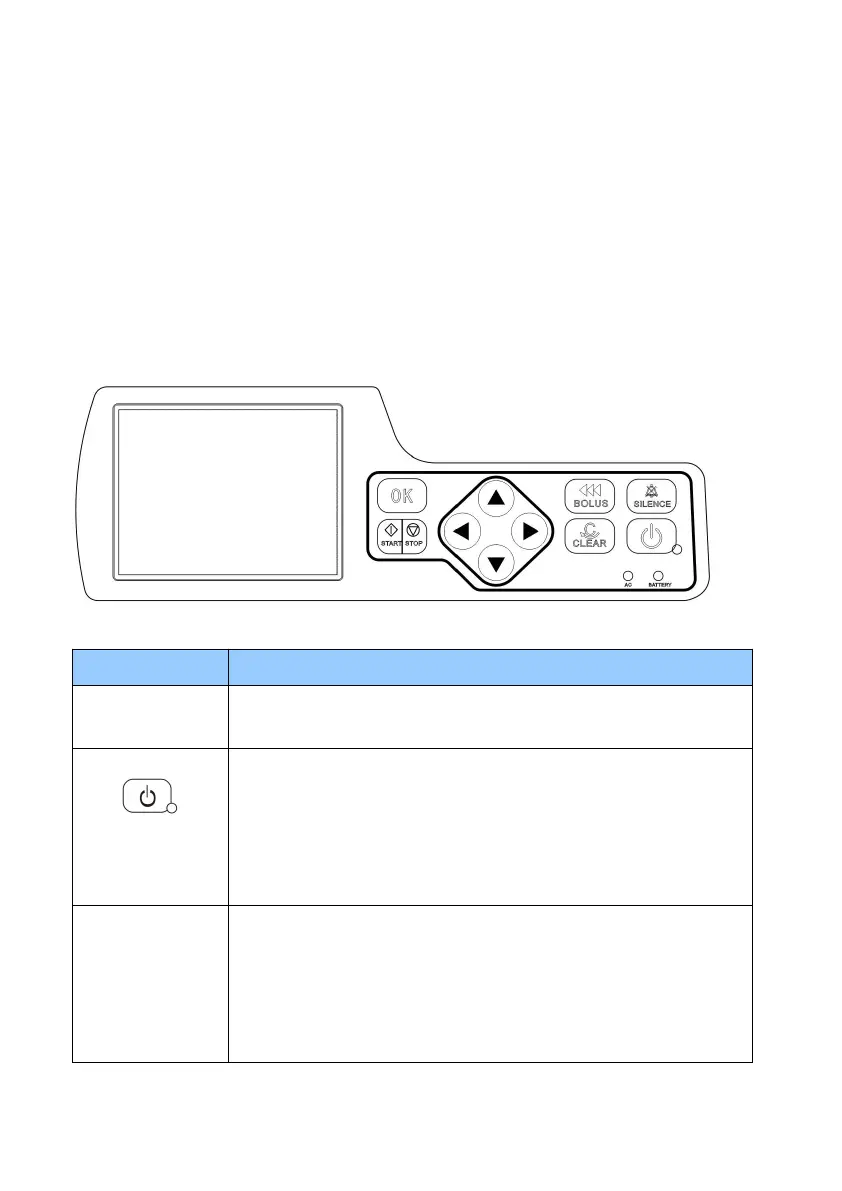
6.2 Keypad
Press this key to silence the alarm for 120s and then will alarm again. The
displayed alarms info can’t be cleared by this key.
Power key/ indicator
light
Switch on / off the syringe pump.
1. Switch on: in ‘power off’ status, keep pressing this key until LCD screen
displays, and the indicator light is on.
2. Switch off: in ‘switch on’ status, keep pressing this key until hear a sound
“beep” and the indicator light is off.
In ‘stop’ status, keep pressing ‘BOLUS’ key, the pump starts purging; release
this key, purge stops.
During operation, keep pressing ‘BOLUS’ key, the pump starts bolus
infusion(bolus rate preset by the user). Release the key, bolus infusion stops
and the pump continues infusion at original rate.



 To Next Page