Configuration
Configuring measurement channels in setting mode
DMP41 A03470_07_E00_00 HBM: public 67
7.2.2 Scaling and linearization (Scaling)
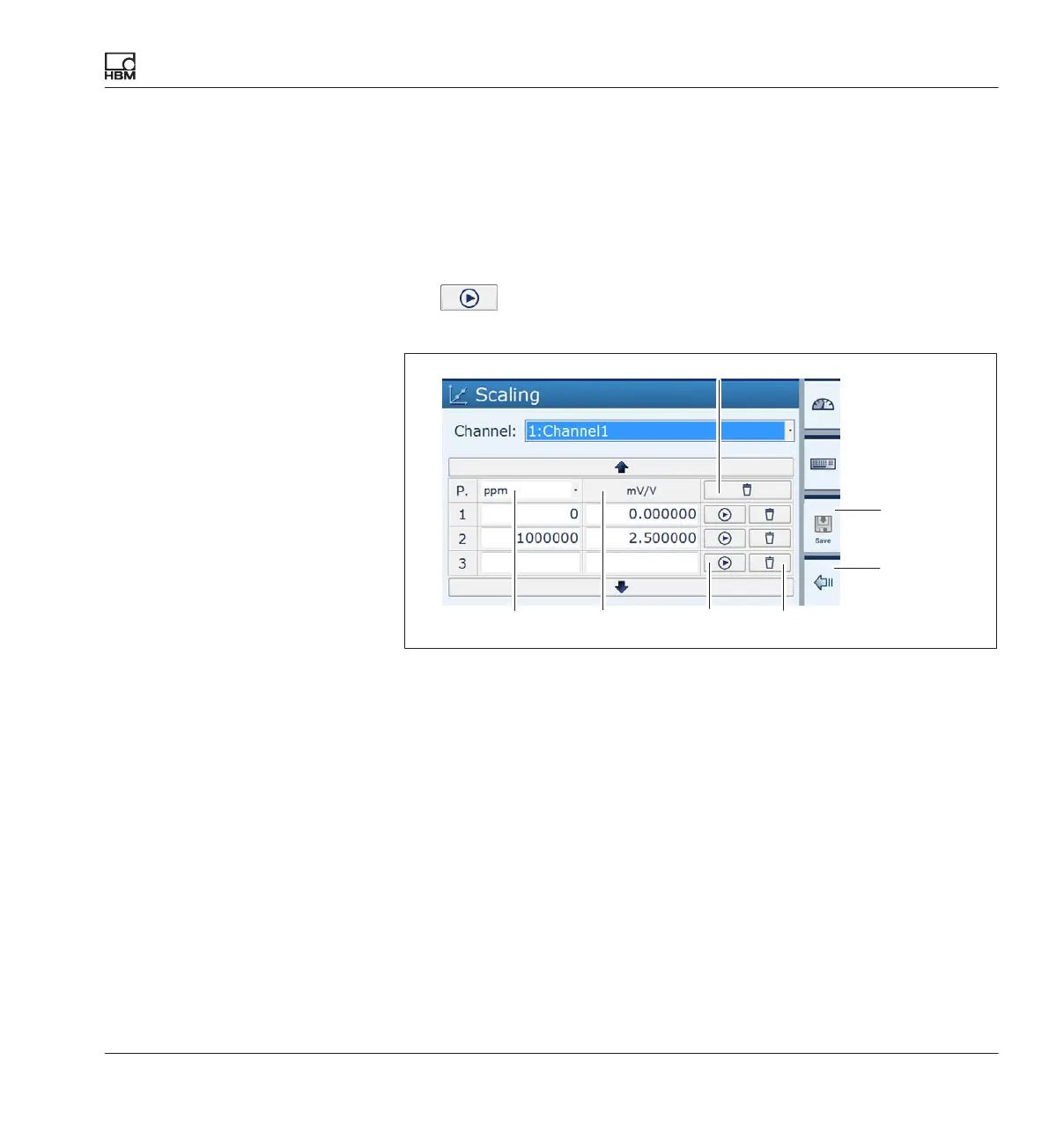
Every function in this settings window can be assigned two values (with the
exception of the unit).
The left-hand value (L) relates to the user-defined scaling, the right-hand
value (R) to the scaling in mV/V.
The
buttons only apply the current measured values in mV/V (right-
hand edit field).
LR
1
45
2
3
Deletes all the scaling
Saves all changes
Resets changes and applies the values of the last characteristic curve
Deletes line P3
Applies the currently measured value (in mV/V) to the
(mV/V) edit field.
Linearization compensates for the non-linearities of the transducer.
In the scaling dialog, values with up to 7 decimal places are shown
accurately, with the 7th digit rounded off (example: 200 kg remain exactly
200 kg in the linearization table, not 199.999)
1
2
3
4
5



 To Next Page