Configuration
Updating the firmware and operating software
DMP41 A03470_07_E00_00 HBM: public 95
7.5 Updating the firmware and operating software
Installing a new software version:
► Download the setup file from the HBM Homepage.
► Insert the USB flash drive into the PC.
► Run the Setup file on a Windows computer. The Update file will be
copied to the USB flash drive.
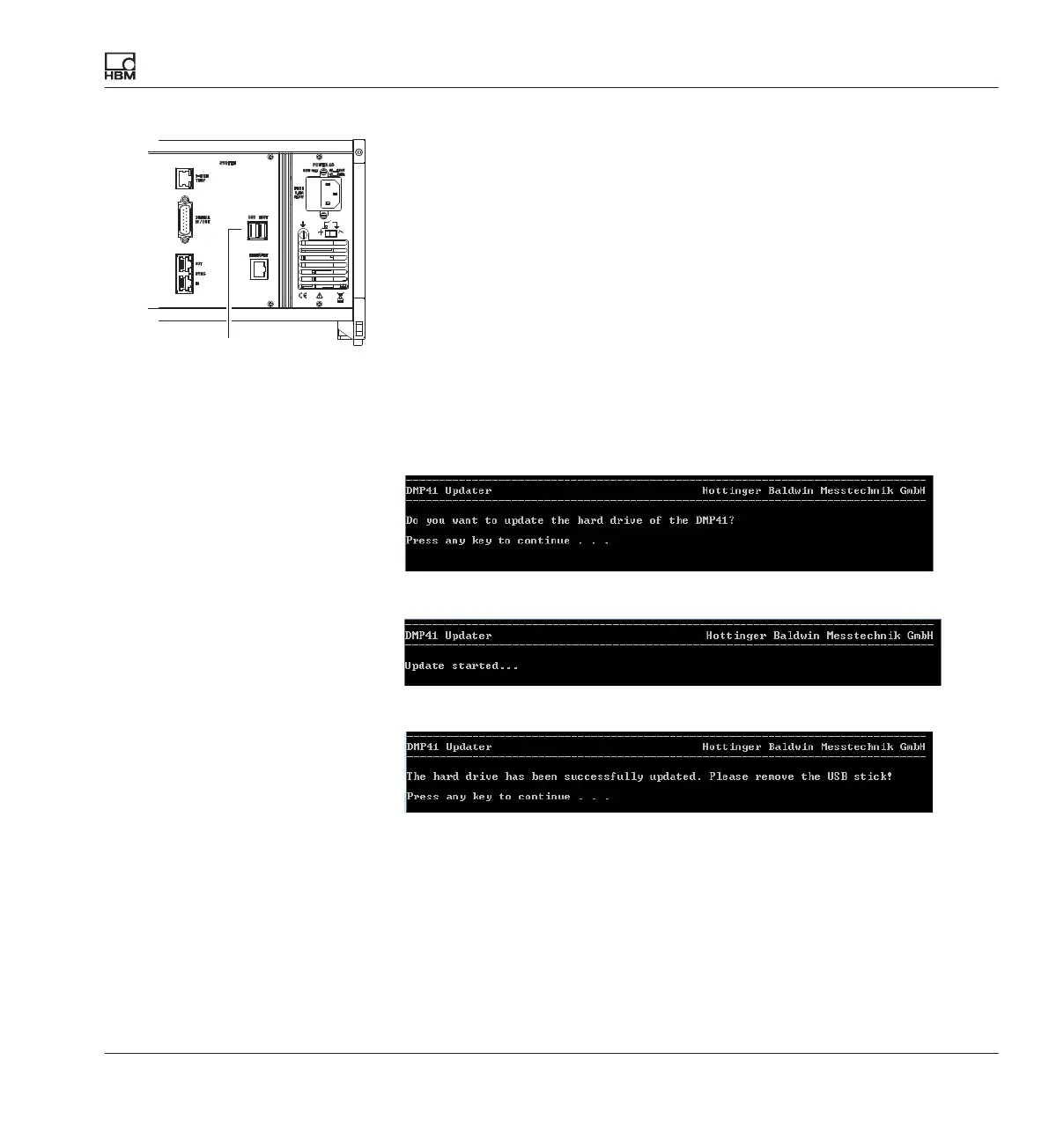
► With the DMP41 switched off, insert the USB flash drive into the USB
HOST socket on the back of the DMP41.
► Switch on the DMP41 (percentage display of the setup process).
The following DMP41 displays appear:
► Press any key.
Progress points with percentage display in 10% steps
► Remove the USB flash drive.
After the restart, outdated firmware may be detected and your attention will
be drawn to the fact that the firmware will now be updated:
USB HOST



 To Next Page