Configuration
DMP41 A03470_07_E00_00 HBM: public 89
7.3.8 Command input via the keyboard (Terminal)
It is always possible with the DMP41 to also use command shortforms when
making settings and carrying out measurements. This dialog is firstly in
tended for service purposes and secondly for programmers who want to test
the commands to be sent by a software in interactive operation.
The possible commands, their significance and syntax are explained in the
document Interface description and command set.
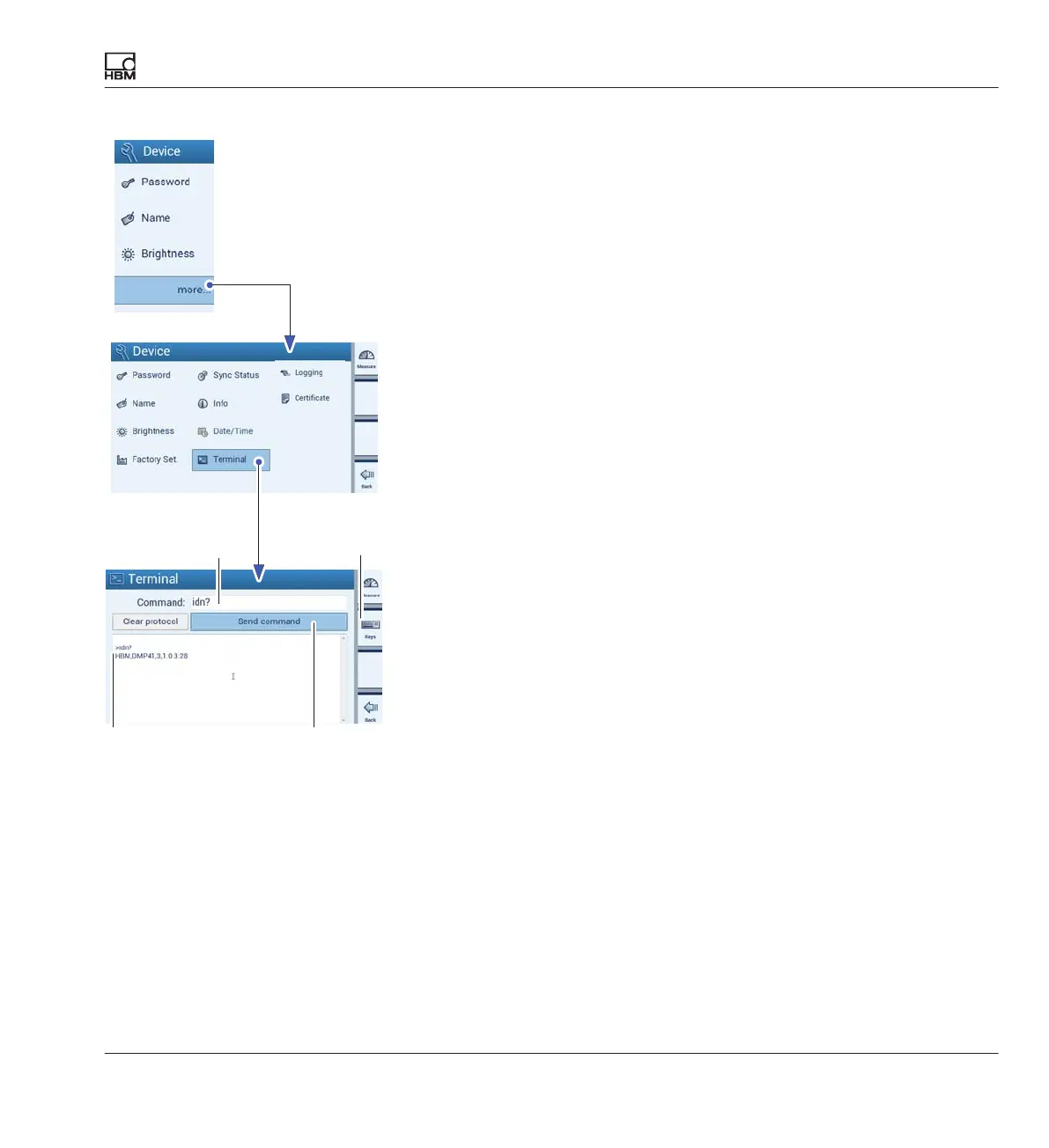
► Press more....
► Press Terminal.
► Enter the command shortform (e.g. IDN?) (A) via the PC keyboard or on
the DMP41 (B).
► Press Send command to send the command (C).
Device identification example:
>idn? The sent command (A)
HBM,DMP41,1230321,1.0.10.0 Response from the DMP41 (D)
(manufacturer, device, serial number, software version)
AB
CD



 To Next Page