15
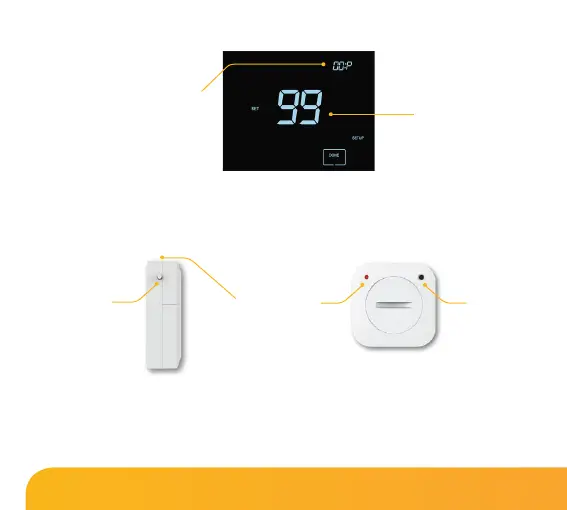
Number of accessories
connected.
Pair/Reset
button
Pair/Reset
button
LED Indicator
Countdown time
Window/Door Wireless Contact Sensor Wireless Air Sensor
Touch Series
The thermostat will now start a 99 second countdown. During this time multiple
sensors can be added.
• On the ‘Air Sensor & Window/Door Contact’, press and hold the pairing
button for 5 seconds. The LED will glow red to indicate pairing status.
If the sensor has successfully paired, the LED will go out after a few seconds. The
thermostat display will then show ‘01:P’ to indicate that the rst accessory has
joined. If countdown time elapses before all accessories have been paired,
restart the countdown to add further sensors following the previous steps.















 To Next Page