15 Touch Series
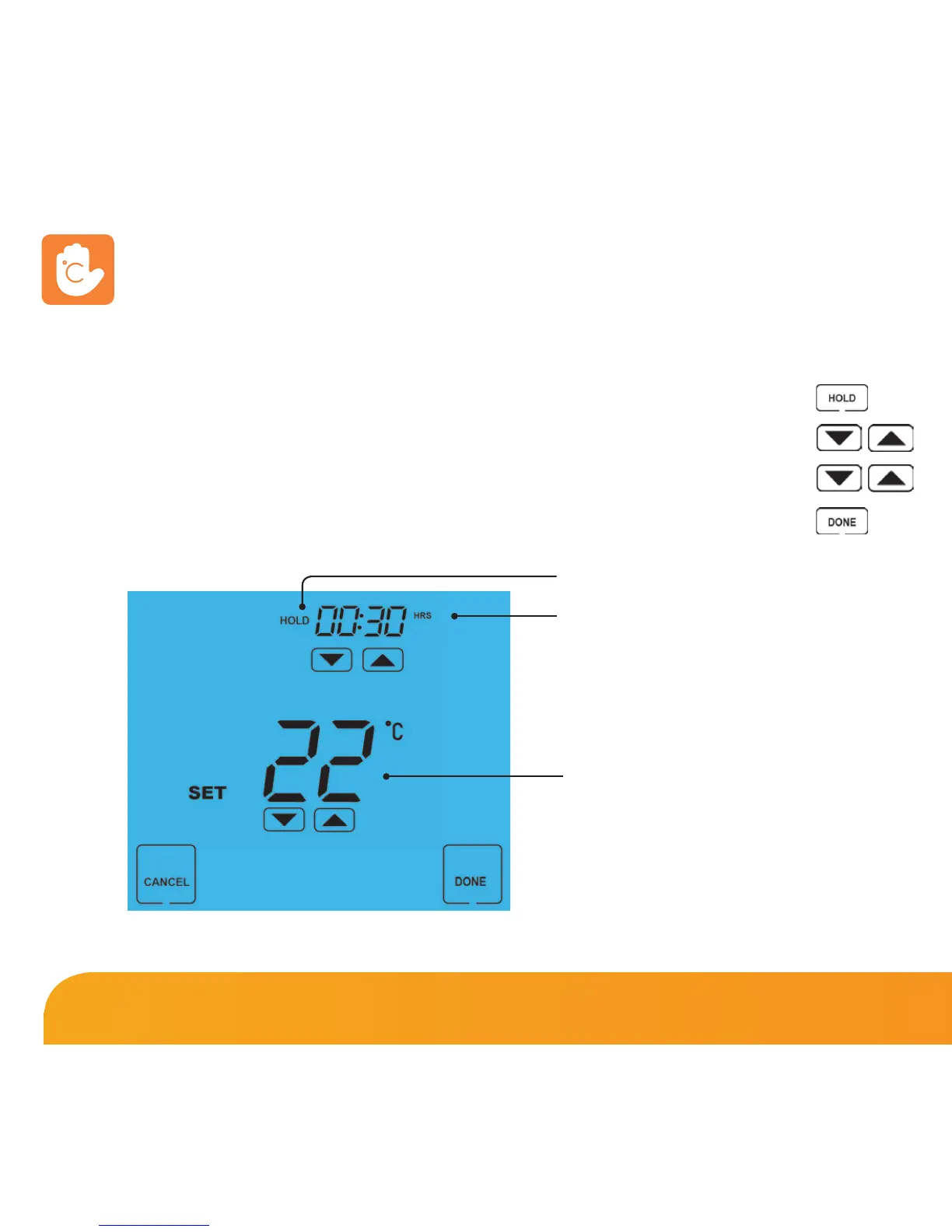
The Temperature Hold function allows you to manually override the current
operating program and set a different temperature for a desired period.
• Press HOLD .........................................................................................................................
• Use the top set of Up/Down keys to set the hold period .................................
• Use the center set of Up/Down keys to set the hold temperature ................
• Press DONE to confirm and exit .................................................................................
To cancel a Temperature Hold, follow the same steps but reduce the time to 00:00.
Temperature Hold
Hold Icon
Hold Time
Hold Temperature















 To Next Page