!!!!!!!!!!!!!!!!!!!!!!!!!!!!!!!!!!!!!!!!!!!!!!!!!!!!!!!!IPCAM User Manual
- 8 -
!
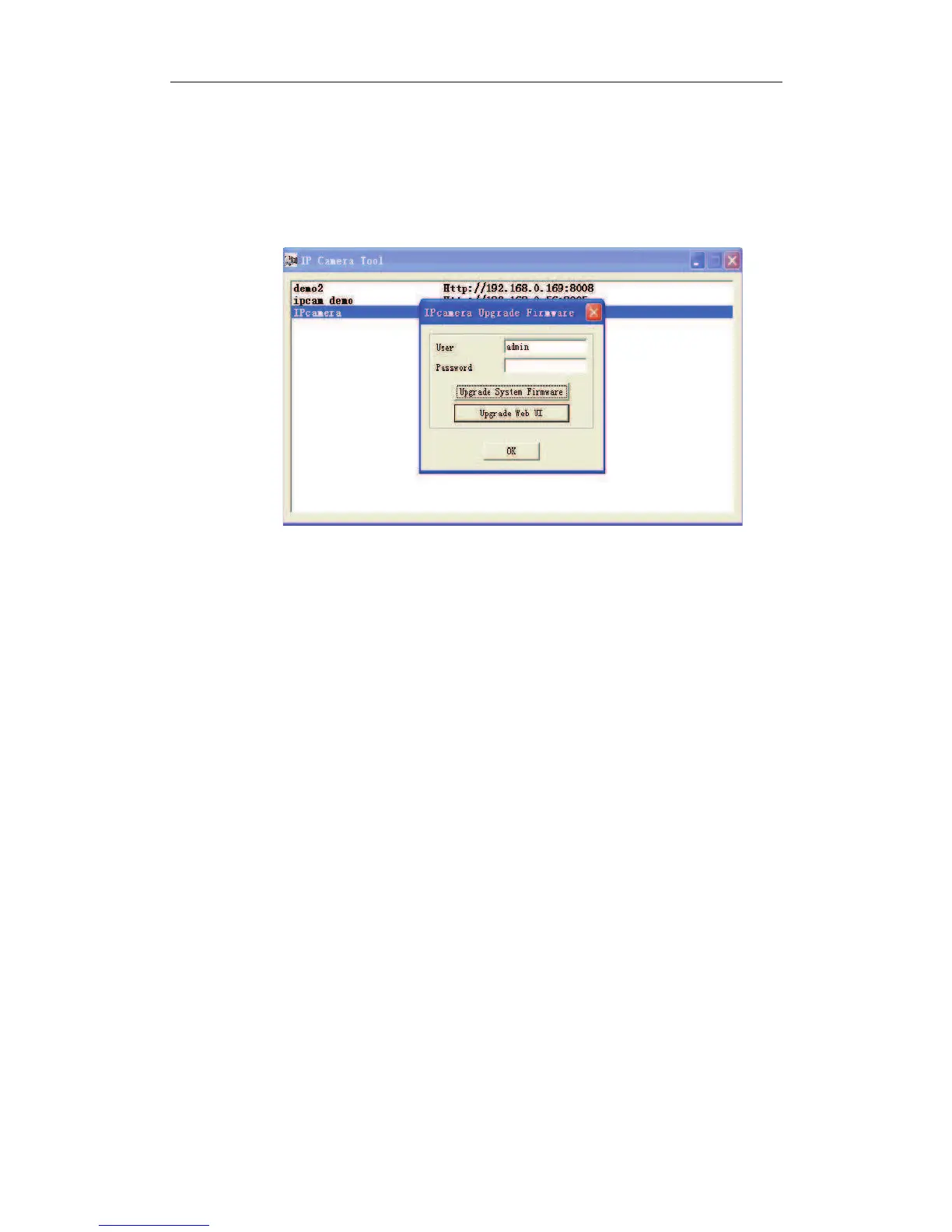
Figure 2.5
!
Refresh Camera List
Refresh camera list manually.
!
Flush Arp Buffer
When cable network and wireless network of the device both are fixed IP address. There
is a a problem you may encounter is can search the camera IP but can’t open the camera
web page.you may try to use flush arp buffer.
! Upgrade Firmware
Enter the correct User and Password to upgrade system Firmware and Web UI.


 To Next Page