!!!!!!!!!!!!!!!!!!!!!!!!!!!!!!!!!!!!!!!!!!!!!!!!!!!!!!!!IPCAM User Manual
- 4 -
Network Card:
Recommendable Operating System: Windows2000 or Windows XP
1.5 Hardware Instruction
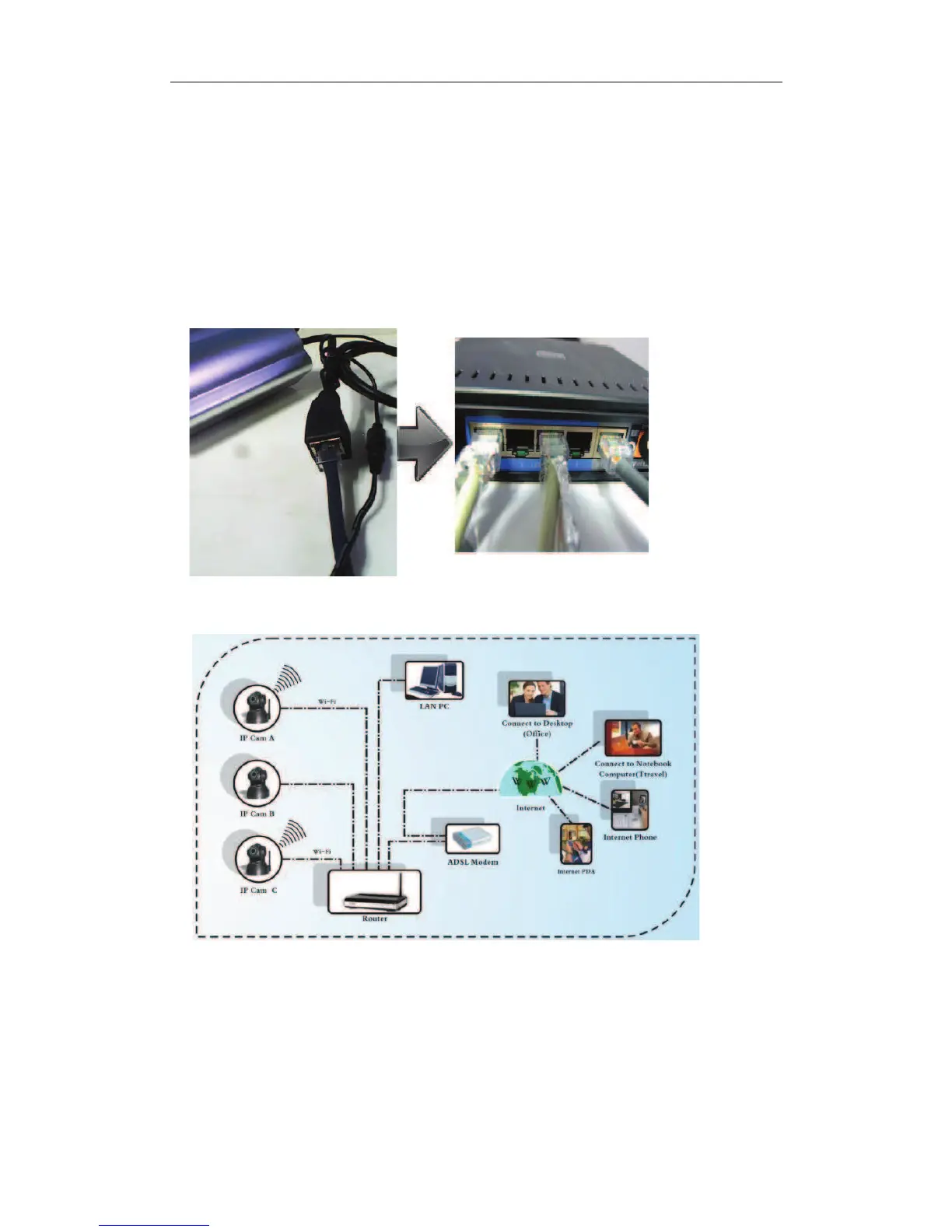
Follow the steps below to set up your camera hardware. Make sure to follow each step
carefully to ensure that the camera operates properly.
1) Plug the network cable into the camera and then into your Cable/DSL router.
2) Plug the power adapter into the camera and then into the power outlet.
100M or above Display Card: 64M or above memory


 To Next Page