!!!!!!!!!!!!!!!!!!!!!!!!!!!!!!!!!!!!!!!!!!!!!!!!!!!!!!!!IPCAM User Manual
- 19 -
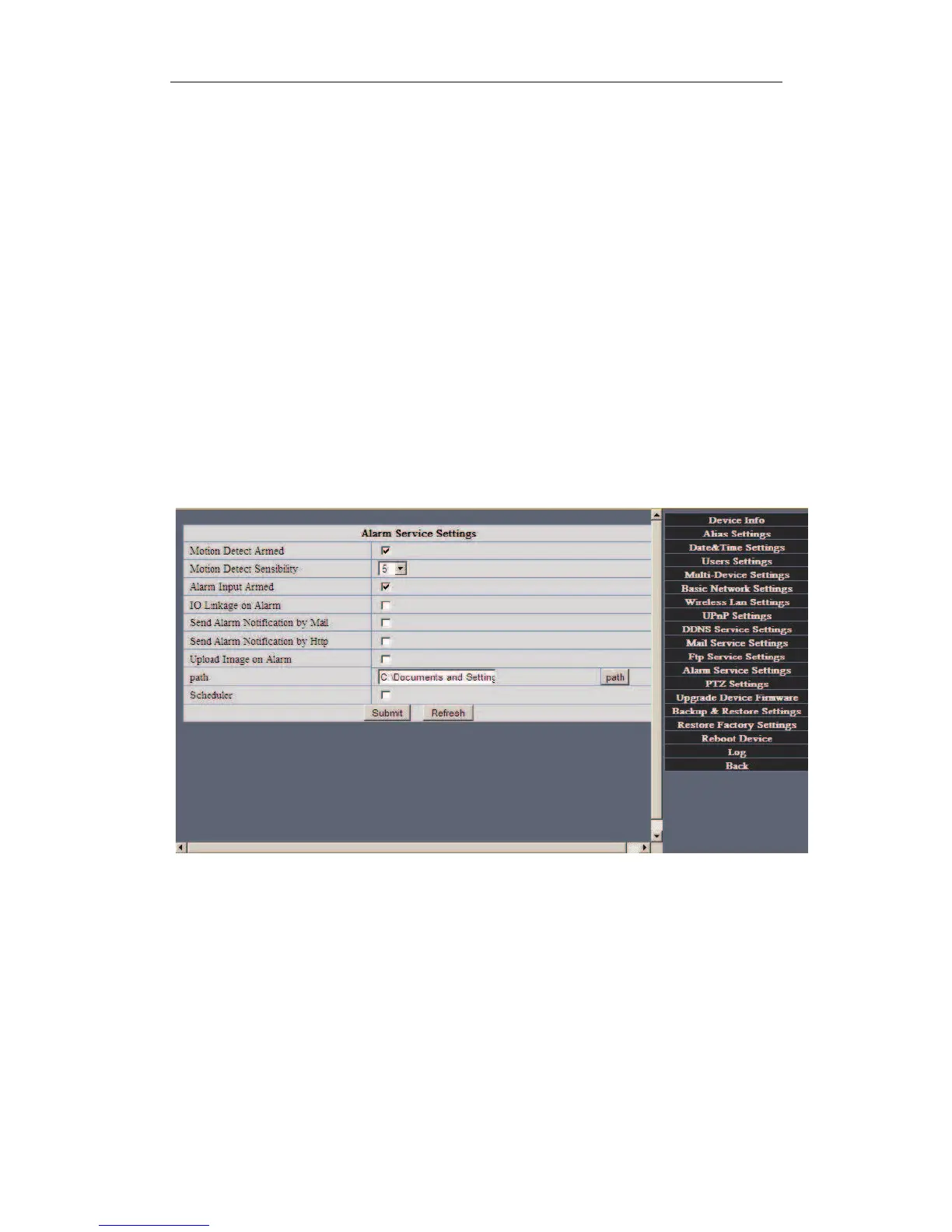
Send Mail on Alarm
Sent picture and mail inform to customer’s e-mail after alarmed.(firstly you should finish
the Mail Service Settings.)
Upload Image on Alarm
Enable upload image on alarm and set upload interval(Seconds).
REC automatically and save to PC
When you enable motion detect and open the caemra monitoring page on the PC.If there
is an alarm triggered,
REC will start automatically for several seconds and save to the
PC.
2.5.5 Motion Detection
Enter Alarm Service Settings page to configure Motion Detection function.


 To Next Page