!!!!!!!!!!!!!!!!!!!!!!!!!!!!!!!!!!!!!!!!!!!!!!!!!!!!!!!!IPCAM User Manual
- 18 -
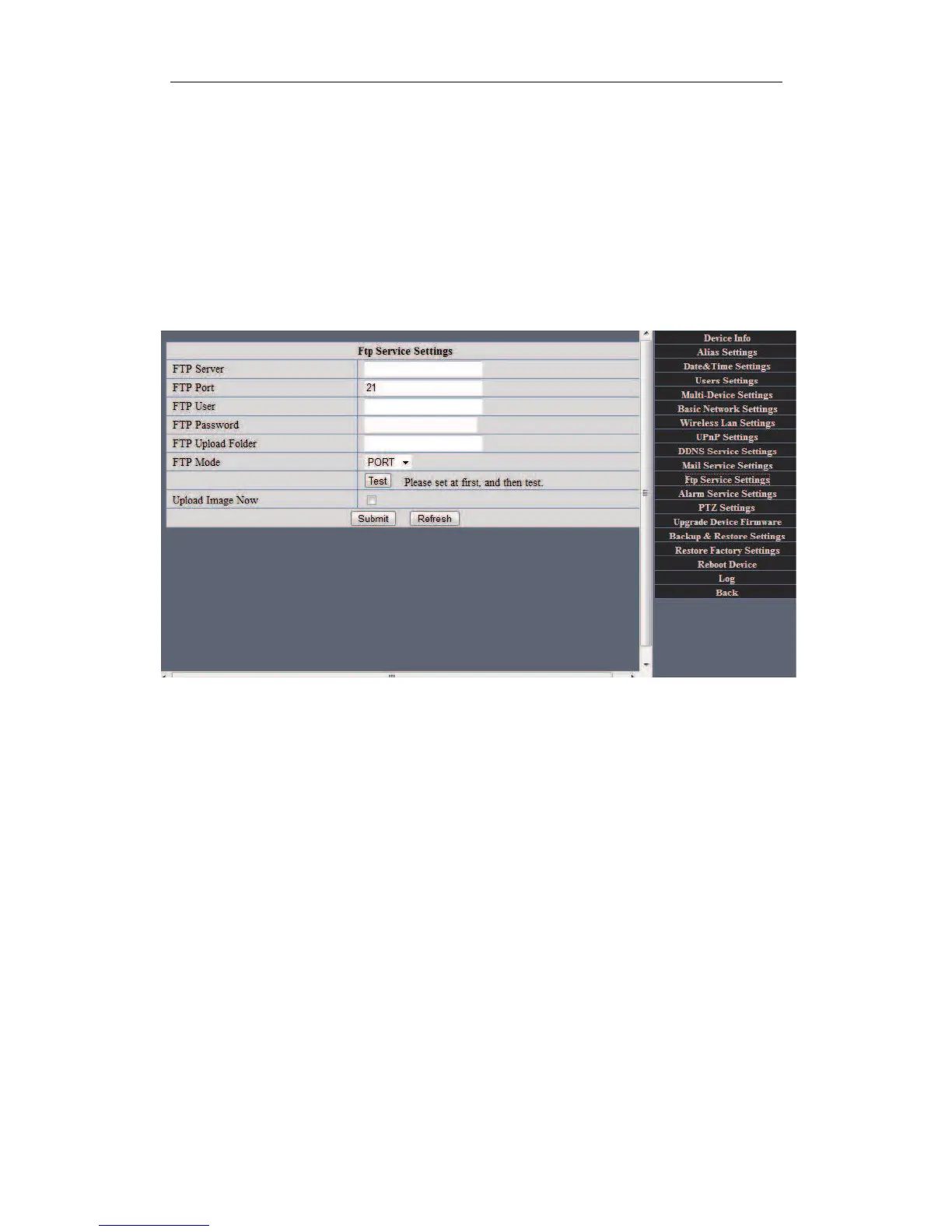
Settings the FTP Service.
Note:When Alarm Service Settings&> Upload Image on Alarm is check,the FTP
Service takes effect.
FTP Server: the FTP server address.
FTP port: the port usually is 21
FTP Mode: support standard(POST) mode and passive(PASV) mode.
Upload Image Now: it will upload image now when checkbox is not checked.When
checked,you can input upload interval(Seconds) .


 To Next Page