!!!!!!!!!!!!!!!!!!!!!!!!!!!!!!!!!!!!!!!!!!!!!!!!!!!!!!!!IPCAM User Manual
- 9 -
2.2 Camera Login
You can access the camera through IP Camera Tool or IE directly.
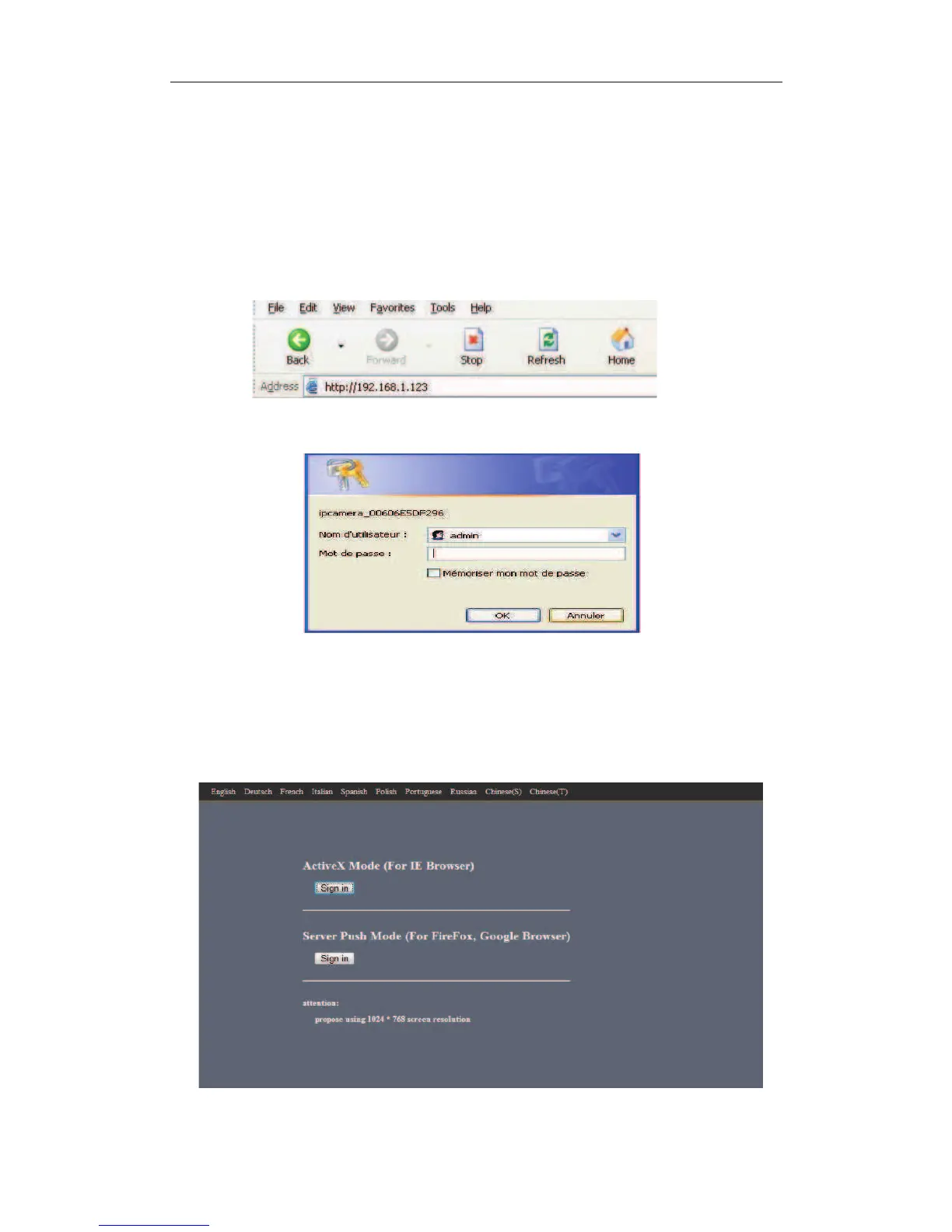
1) Double click the IP address of the IP Camera listed(Figure 2.1).IE will be opened
automatically and display the camera login page.
2) Access the camera by IE browser directly, type in the camera’s IP address.for example:
3) The Camera Login page pop-up.
pa
Click “Sign in” to enter the monitoring page(Figure 2.7).You can set the username and password as
Administrator, Operator or Visitor.
enter your account and password on the login page as shown in Figure 2.6. By defaultÿadministrator's
username is: admin and no password.


 To Next Page