!!!!!!!!!!!!!!!!!!!!!!!!!!!!!!!!!!!!!!!!!!!!!!!!!!!!!!!!IPCAM User Manual
- 30 -
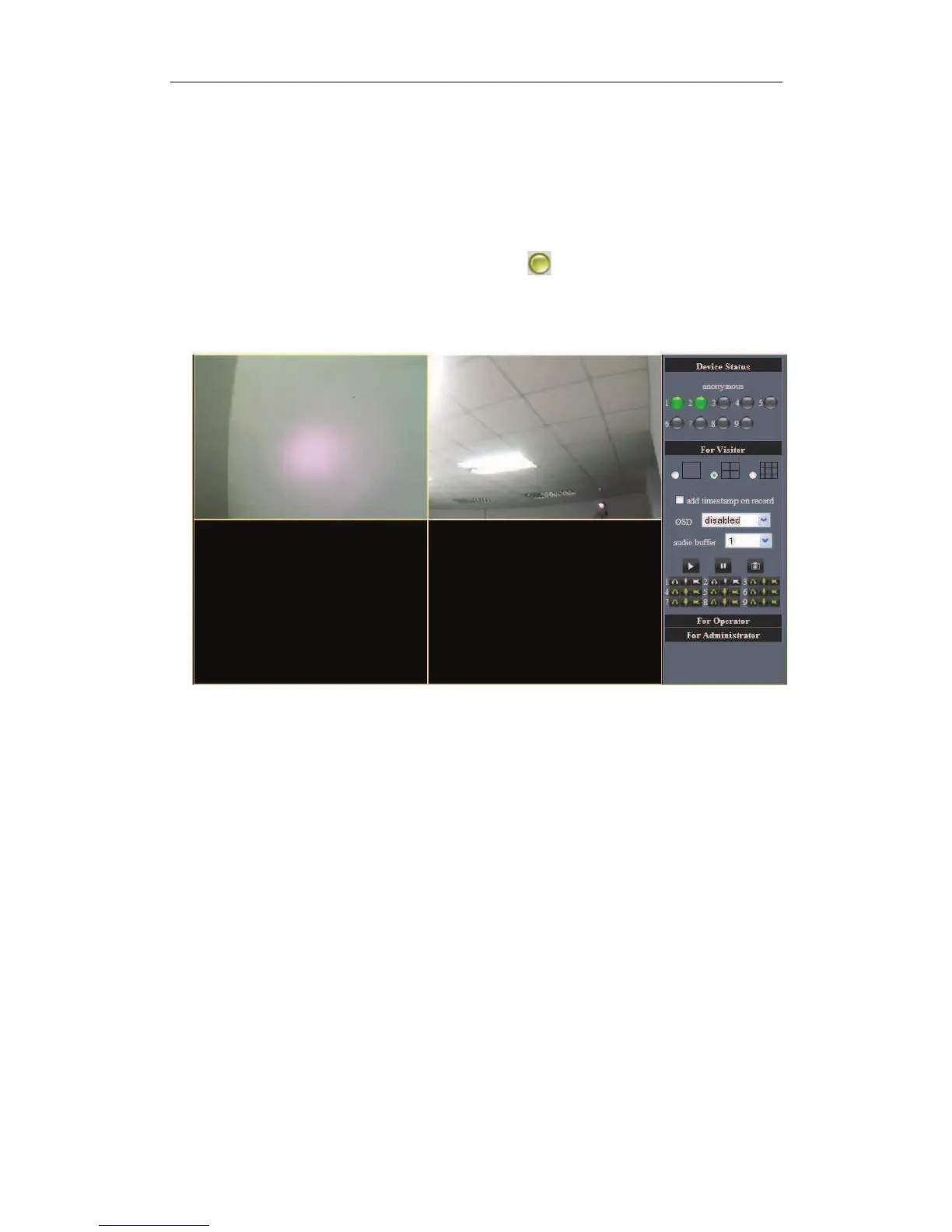
4.1.7 Why pop-up the prompt”Fail to connect to the device…”?
This prompt only appeared in the case of using multiple cameras.
Enter the Multi-Device Settings page(login as administrator) to check the Device setting
is correct or not.
When one of the multiple cameras disconnected,
the color changed to yellow and
pop-up the prompt “Fail to connect to the device…”.
Figure 4.7
4.1.8 Can’t access the IPCAM in the internet?
There are some reasons:
1 ActiveX controller is not installed correctly(see more details:4.1.4).
2 The port IPCAM used is blocked by Firewall or Anti-virus software.Please change a port
number and try again.
3 Port mapping is not success.You can do port mapping by two ways:
! Enter setting page of the router which IPCAM connect with to enable UPNP
function.Enter IPCAM “Upnp Settings” to enable UPNP and make sure the state is
“Upnp success”.
! If your router has the Virtual Map function.Enter router setting page,add IPCAM’s IP
and port to the Virtual map list.
4 When use ADSL,the IP is dynamic.You should set DDNS(see more details 3.6 & 4.1.6)
and also make sure port mapping success.


 To Next Page