!!!!!!!!!!!!!!!!!!!!!!!!!!!!!!!!!!!!!!!!!!!!!!!!!!!!!!!!IPCAM User Manual
- 17 -
2.5.4 Mail and FTP Service
Note:
When Alarm Service Settings&> Send Mail on Alarm is check,the Mail Service
takes effect.
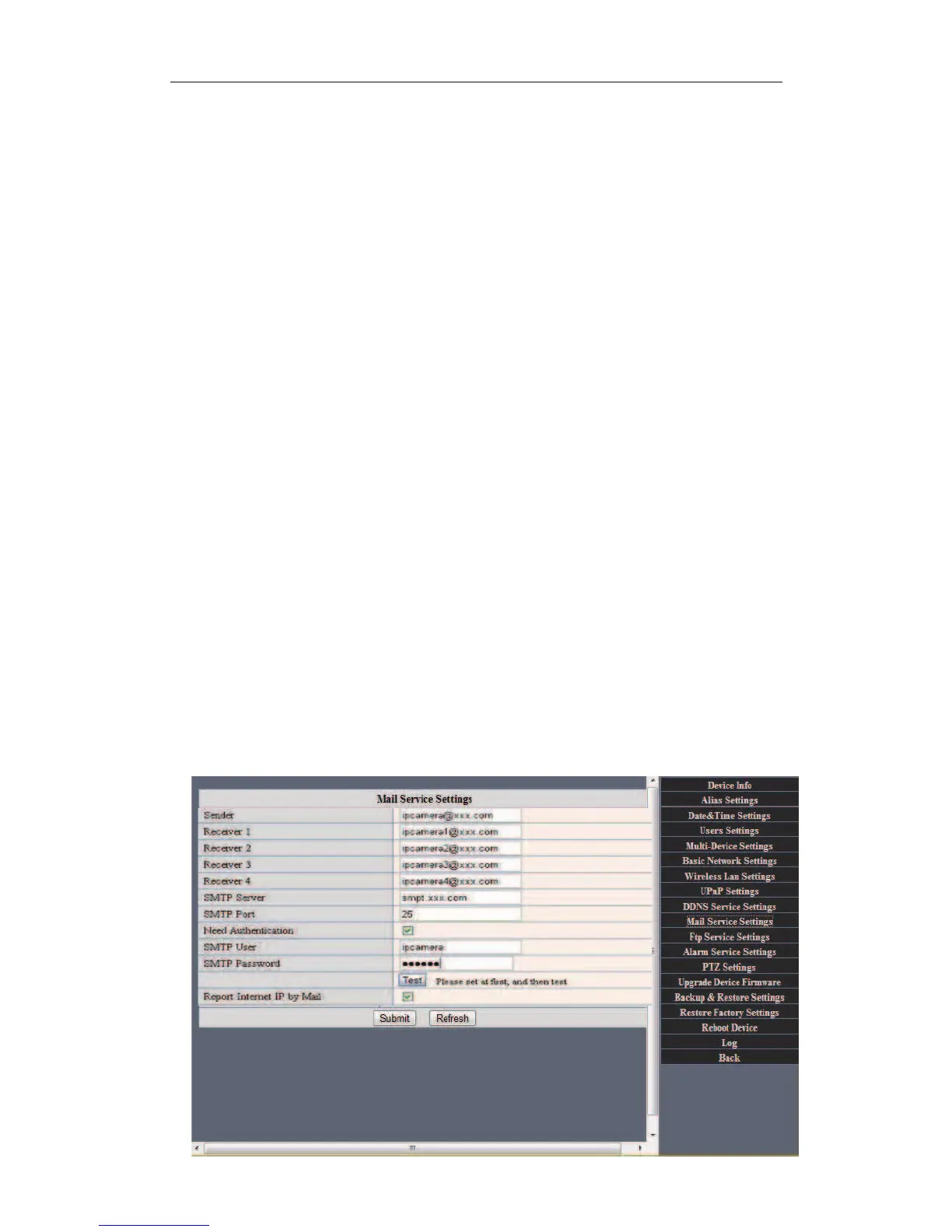
Configure the E-mail box to receive and send mails. The E-mail box is used for receiving
the images sent after alarm and the system IP address after successful dial-up.
Sender: This device use the sender mailbox to send mails.
Receiver: To receive the mail from the Sender.You can set up to 4 receiver mailbox.
SMTP Server:the SMTP server for the sender mailbox
Need Authentication:i
f the sender mailbox need authentication, you should
check it then input the SMTP username & Password.
Mail test:
Please set the Mail parameter and click "Submit" first. There are Mail test result.
1 Can not connect to the server
2 Network Error. Please try later
3 Server Error
4 Incorrect user or password
5 The sender is denied by the server. Maybe the server need to authenticate the user,
please check it and try again
6 The receiver is denied by the server. Maybe because of the anti-spam privacy of the
server
7 The message is denied by the server. Maybe because of the anti-spam privacy of the
server
8 The server does not support the authentication mode used by the device
Report Internet IP by Mail: When ipcam power on or Internet IP changed,it will send the
internet IP by mail.(for example:IPCAM 's url is http://119.123.207.96:9002). Make sure
the port is map to the router correctly by UPNP or Virtual Map function.
Figure 2.17


 To Next Page