!!!!!!!!!!!!!!!!!!!!!!!!!!!!!!!!!!!!!!!!!!!!!!!!!!!!!!!!IPCAM User Manual
- 32 -
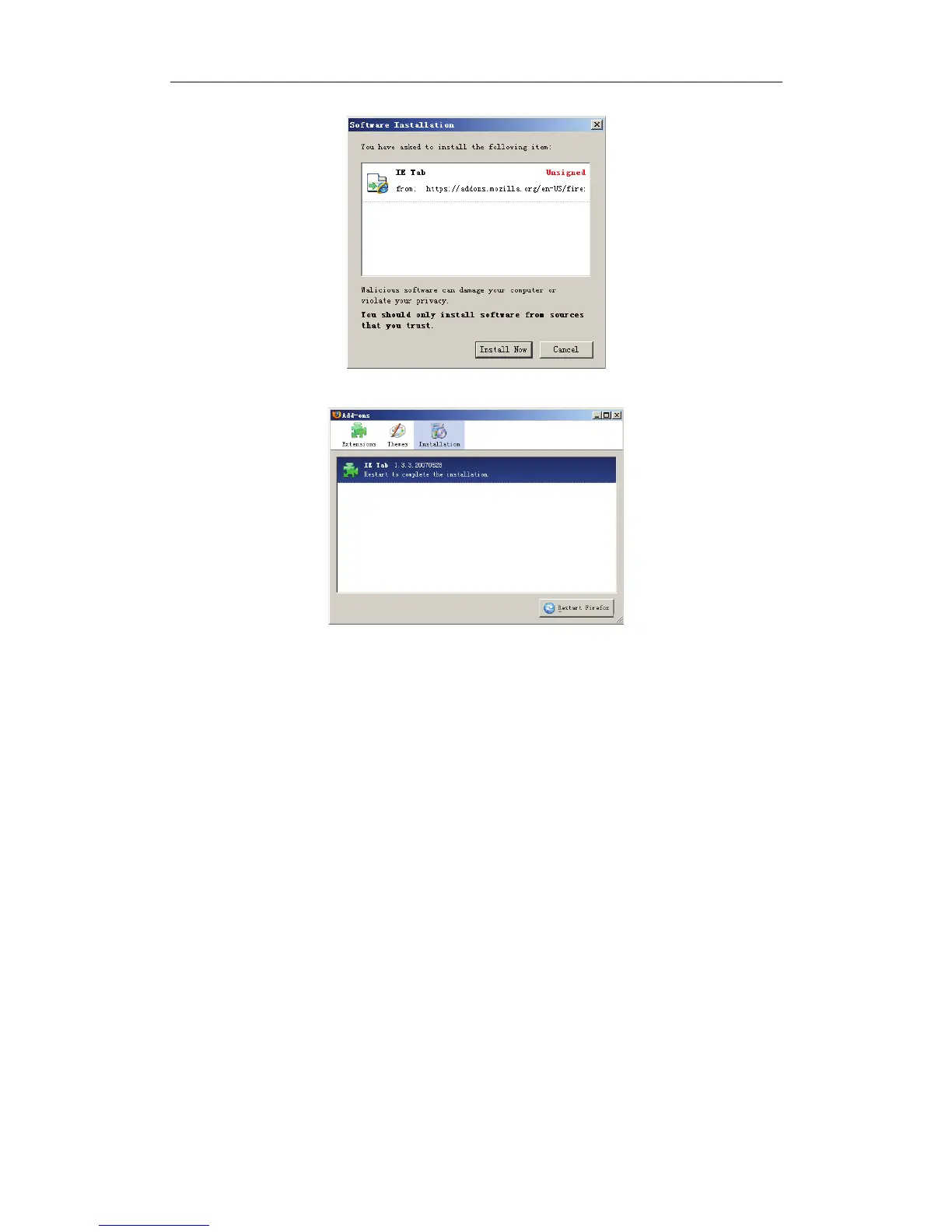
Click 'Install Now(button to start installation
In the end click “Restart Frefox” button to restart the browser.
Login your device and locate the monitoring page, click your mouse’s right
button, click the new menu item named View page in IE-Tab to login device
again.
4.2 Default Parameters
Default network Parameters
IP address: dynamic obtain
Subnet mask:255.255.255.0
Gateway: dynamic obtain
DHCP:Disabled
DDNS:Disabled
Username and password
Default administrator username: admin
Default administrator password: No password


 To Next Page