!!!!!!!!!!!!!!!!!!!!!!!!!!!!!!!!!!!!!!!!!!!!!!!!!!!!!!!!IPCAM User Manual
- 29 -
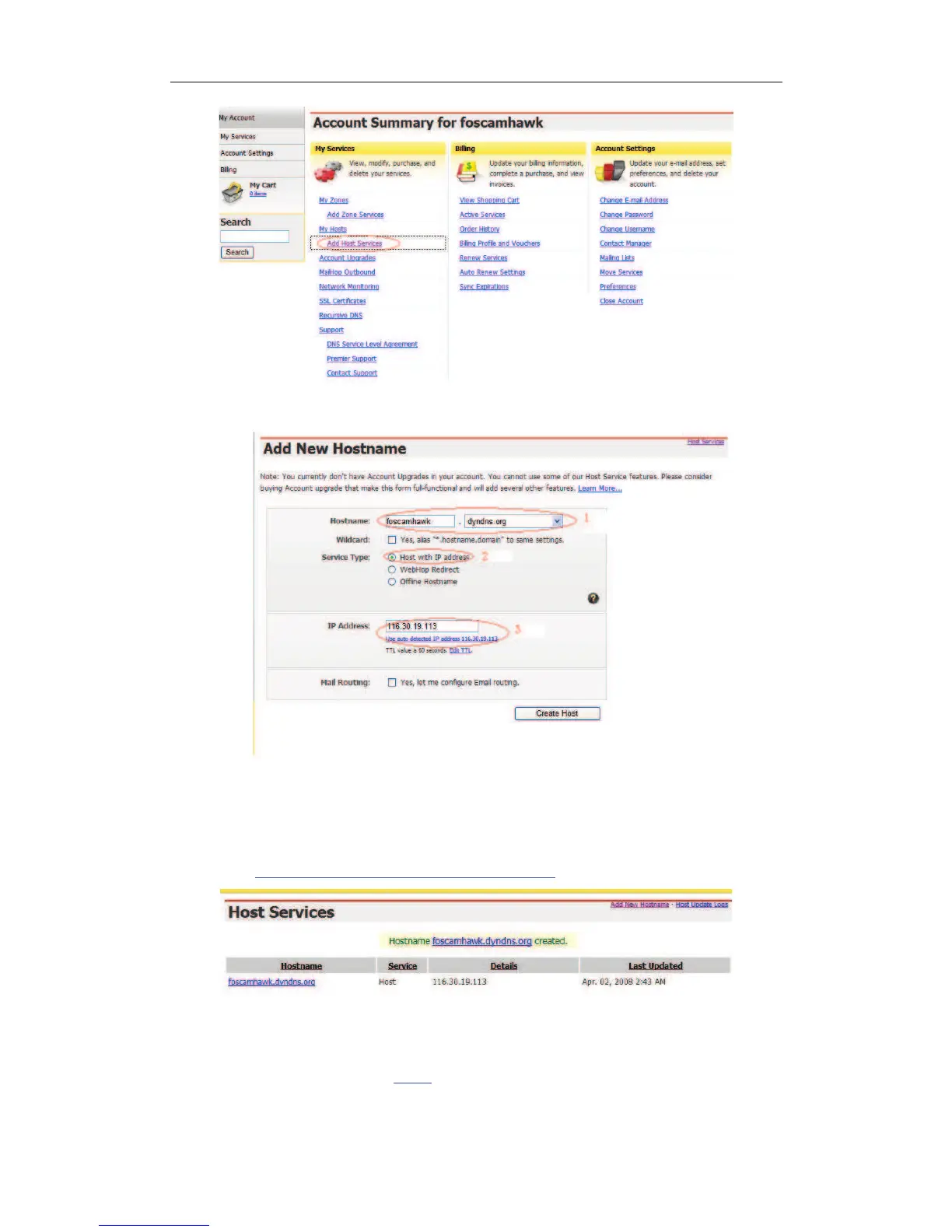
Figure 4.4
Figure 4.5
Step5: On the Add New Hostname page.
1) input your Hostname.
2) choose Host with IP address
3) click
Use auto detected IP address xxx.xx.xx.xxx.
Then click Create Host.
Figure 4.6
Step6: Now you obtained a Dynamic Domain Name(Figure 4.6),and can use it in the
DDNS Service Settings(details:
2.5.3)


 To Next Page