!!!!!!!!!!!!!!!!!!!!!!!!!!!!!!!!!!!!!!!!!!!!!!!!!!!!!!!!IPCAM User Manual
- 28 -
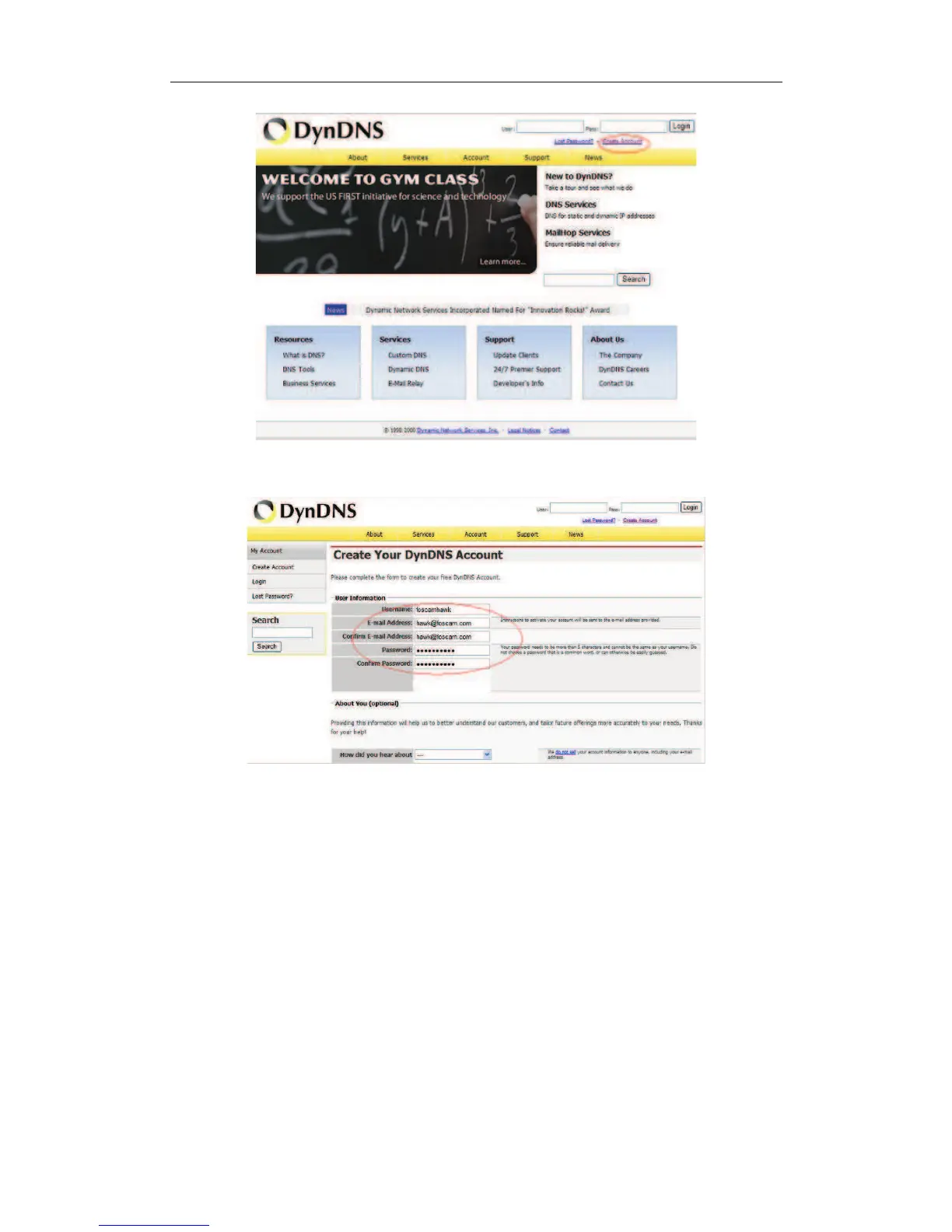
Figure 4.2
Step2: enter your information
Figure 4.3
Step3: After a minute, you will receive a E-mail from DynDNS Support and it will give you
a confirmation address
(e.g. https://www.dyndns.com/account/confirm/vXMVT78-KvehydmKMWH5kg)
Step4: When the Account Confirmed, login and start using your account. Choose Add
Host Services(Figure 4.4) and enter Add New Hostname (Figure 4.5)page.


 To Next Page