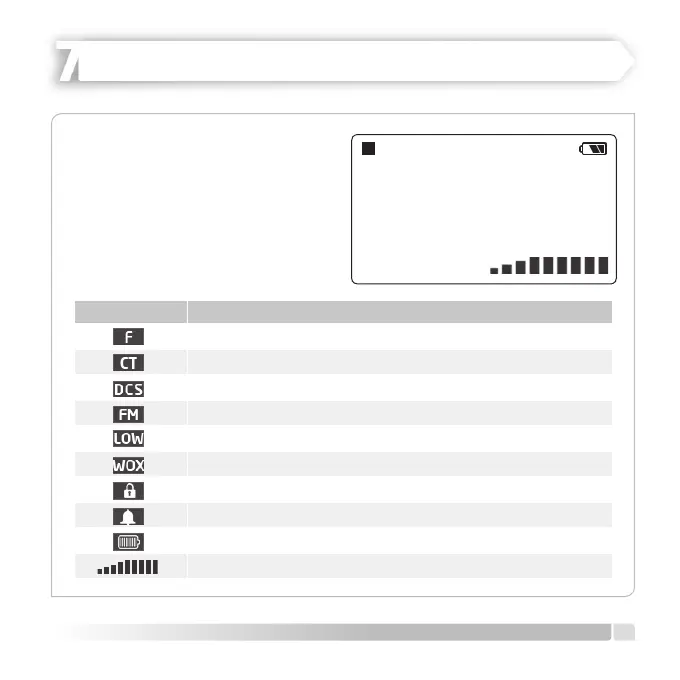
SYMBOL EXPLANATION
Push Secondary Key Pad Active ([F/ALERT] button
CTCSS Procedure
DCS Procedure
FM Radio (65-108MHz)
Low/High Output Power
VOX Function Activated
Key Lock Activated
Keypad Sound On
Battery Indicator
Sound Level
Ch-01
446.006
25
LOW
F
VOL
11
English
LCD SCREEN
HEIDER PRO5 PMR 446
The screen icons are shown during
certain procedures or while certain
features are active. Knowing the
meaning of the indicators and how to
adjust radio functions will help you to
operate the radio easily.


 To Next Page