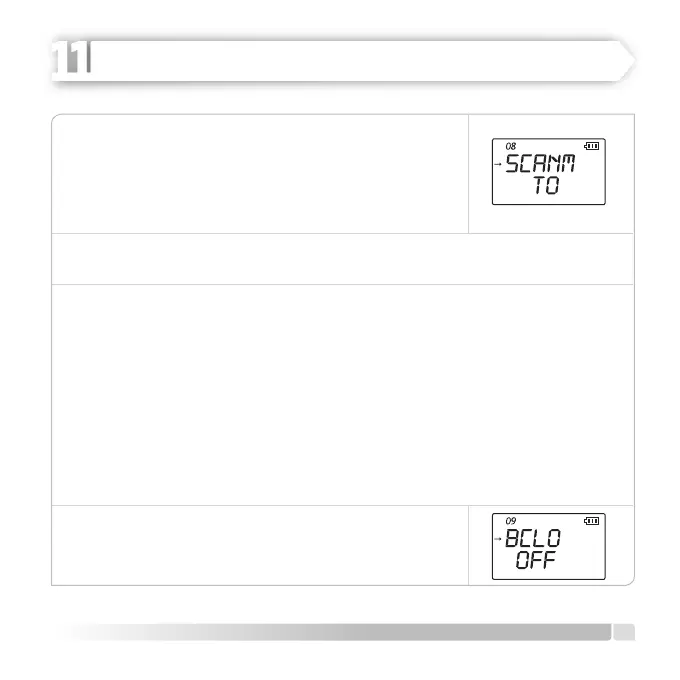
1. Push [MENU] button, rotate [CALL] button, switch to MENU
[16] SCANM.
2. Enter adjustment mode after pressing [U/V] button.
3. Adjust SCANM: TO/CO setting by rotating [CALL] button
clockwise or countercloskwise.
4.
Push [U/V] button to save the setting.
5.
Push [MENU] or [PTT] buttons to EXIT to normal operation mode.
BCLO (Busy Channel Lock-Out)
BCLO prevents radio transmitter from being activated when there is a signal strong
enough to preclude squelch feature. BCLO prevents your messages from being distorted
on a frequench where stations which use dierent CTCSS or DCS codes are active (in
such situations, the radio may have automatically switched its own tone decoder to
silent mode). The default setting for BCLO is OFF and please follow the instructions
below to activate it:
1. Push [MENU] button, rotate [CALL] button, switch to MENU [18] BCLO.
2. Push A [U/V] button and enter adjustment mode.
3. Adjust BCLO: ON/ OFF setting by rotating [CALL] button clockwise or counter closkwise.
4. Push [U/V] button to save the setting.
5. Push [MENU] or [PTT] buttons to EXIT to normal operation
mode.
21
English
ADVANCED OPERATION
HEIDER PRO5 PMR 446


 To Next Page