VOX (Voice Operated Exchange)
VOX, resolves the requirement to change the transmission mode manually each time
you want to send a message. The radio automatically switches to transmission mode
when VOX switch system senses that you start to speak to the microphone. Please
follow the instructions given below:
1. Push [MENU] button, rotate [CALL] button, switch to MENU [06] VOX.
2. Then, push [U/V] button to enter adjustment mode.
3. Adjust OFF/1/2/3/4/5/6/7/8/9 setting by rotating [CALL] button clockwise or counter
clockwise.
4. Push [U/V] button to save the setting.
5. Push [MENU] or [PTT] buttons to EXIT to normal
operation mode.
Warning:
Degrees 7-9: Most Sensitive VOX Level Setting under silent circumstances
Degrees 4-6: VOX Level Setting in Medium Sensitivity under normal circumstances
Degrees 1-3: Least Sensitive VOX Level Setting under very noisy circumstances
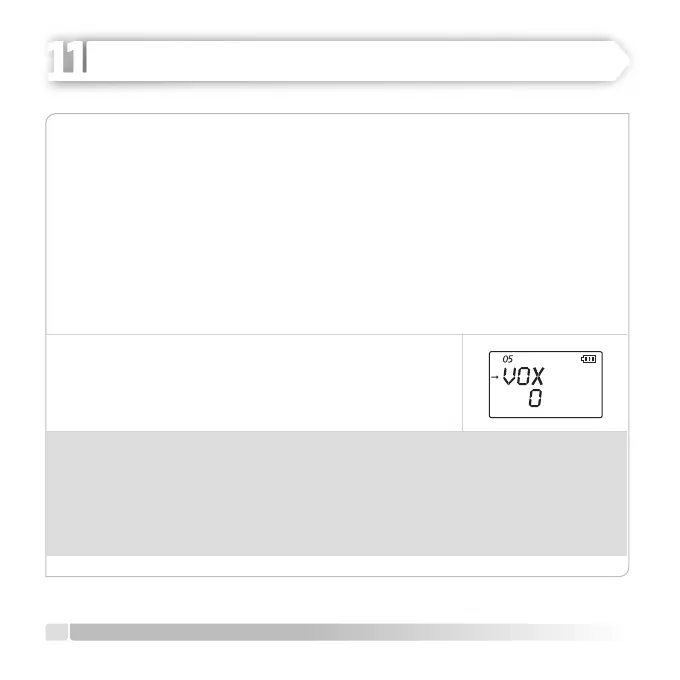
While VOX function is activated, ‘VOX’ icon can be seen on the LCD.
18
English
ADVANCED OPERATION
HEIDER PRO5 PMR 446


 To Next Page