Users Manual for T4000+ Series 13
4. Control panel
The user can control the operation of the printer with the control panel, for example:
• Issuing, interrupting, continuing and cancelling the print jobs
• Setting printing parameters, e.g. heat level of the print head, print speed, interface
configuration language and time of day (Æ Configuration Manual)
• Start the test functions (Æ Configuration Menu)
• Control stand alone operation with a memory module (Æ Configuration Menu)
• Update the Firmware (Æ Configuration Menu)
Many functions and settings can also be controlled by software applications or by direct
programming with a computer using the printer’s own commands. Æ Programming Manual for
details.
Settings made on the control panel make the basic settings of the label printer.
NOTICE!
It is advantageous, whenever possible, to make adaptations to various print jobs in the
professional label editing software Tagprint Pro.
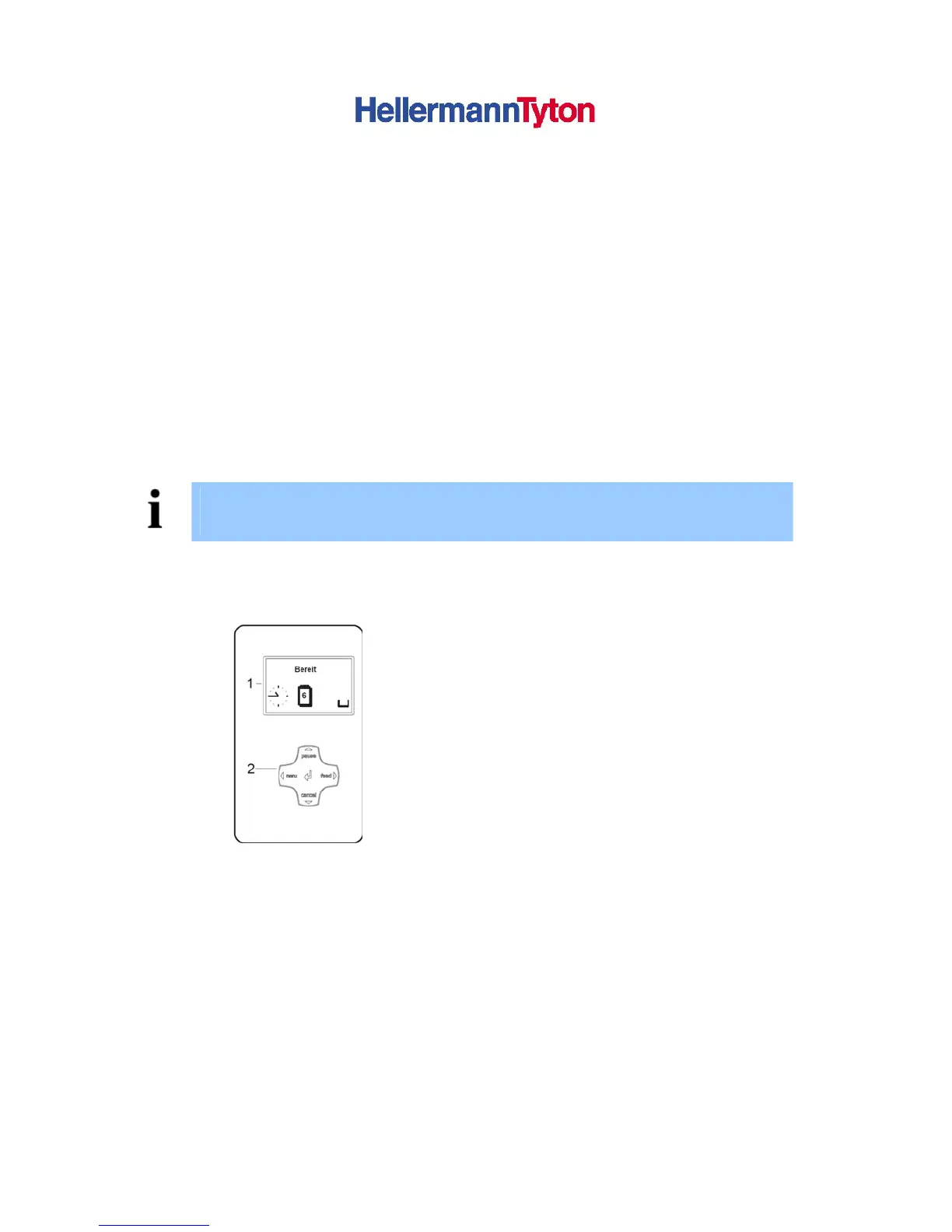
4.1. Structure of the Control Panel
1. Graphic Display
2. Navigator Pad
Figure 5 Control Panel
The graphical menu informs the user about the current status of the Printer and its print jobs,
informs about errors and shows the printers settings in the menu.
The symbols shown in the following table may appear in the status line of the display, depending
on the printer configuration. They enable the current printer status to be seen quickly. For the
configuration of the status line Æ Configuration Manual.
During the online menu of the printer the active functions light up white (e.g. Menu or Feed)
Active Functions light up orange in the offline menu (Arrow, Key ).



 To Next Page