Users Manual for T4000+ Series 19
5.2. Loading Fanfold Labels
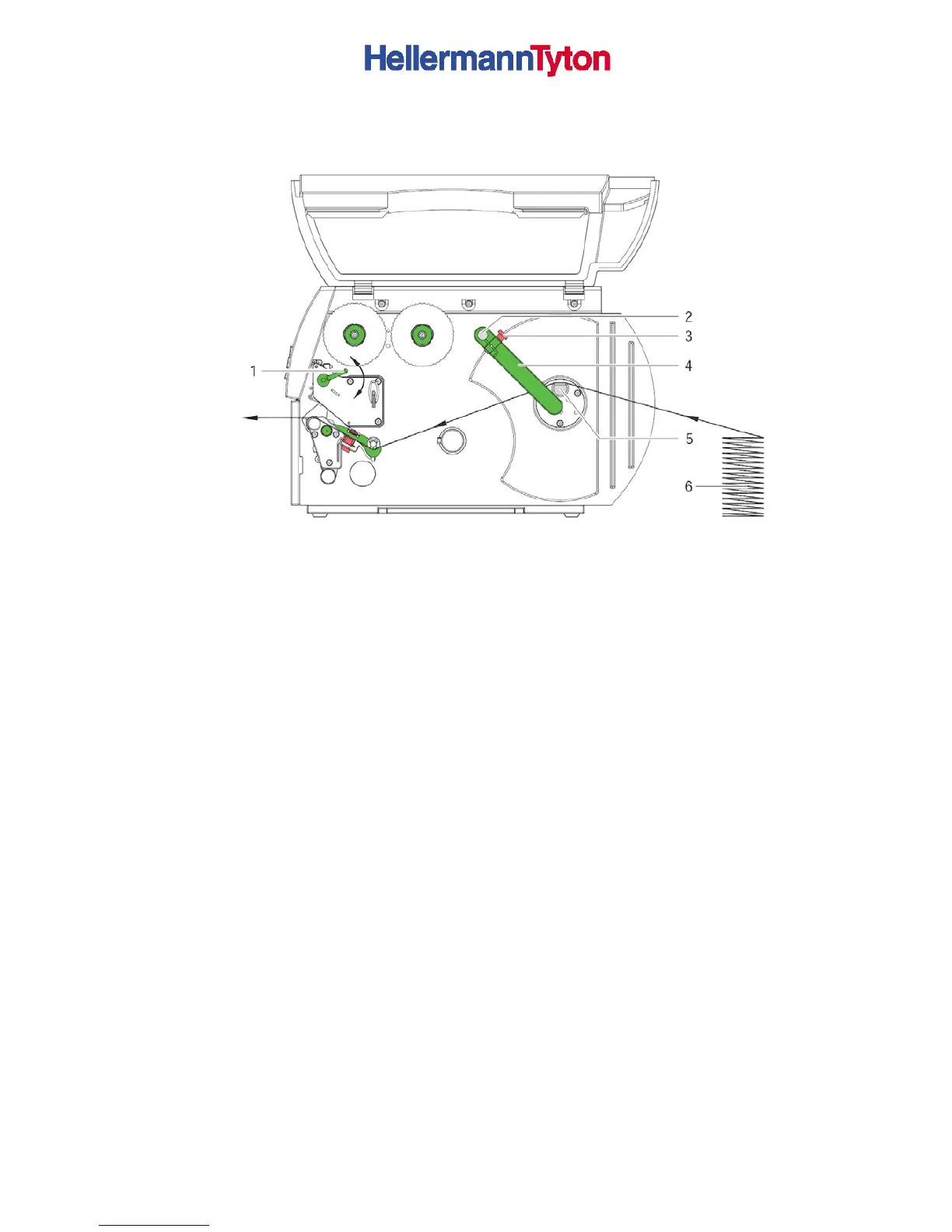
Figure 8 Loading fanfold labels
1. Loosen knurled screw (3) and slide guide (2) outward completely and swivel it downward
past the roll retainer (5).
2. Position label stack (6) behind the printer. Ensure that the labels on the strip are visible
from above.
3. Guide label strip to print unit via the roll retainer (5).
4. Push guide (4) against the label strip, swivel it upward against the roll retainer and tighten
knurled screw (3).
5. Insert label strip into print head (see 5.1.2 on Page 16).
6. Set label sensor (see 5.1.3 on page 6).
8. Turn lever (1) clockwise to lock the print head.



 To Next Page