Users Manual for T4000+ Series 20
5.3. Loading transfer ribbon
NOTICE!
With direct thermal printing, do not load a transfer ribbon; if one has already been loaded,
remove it.
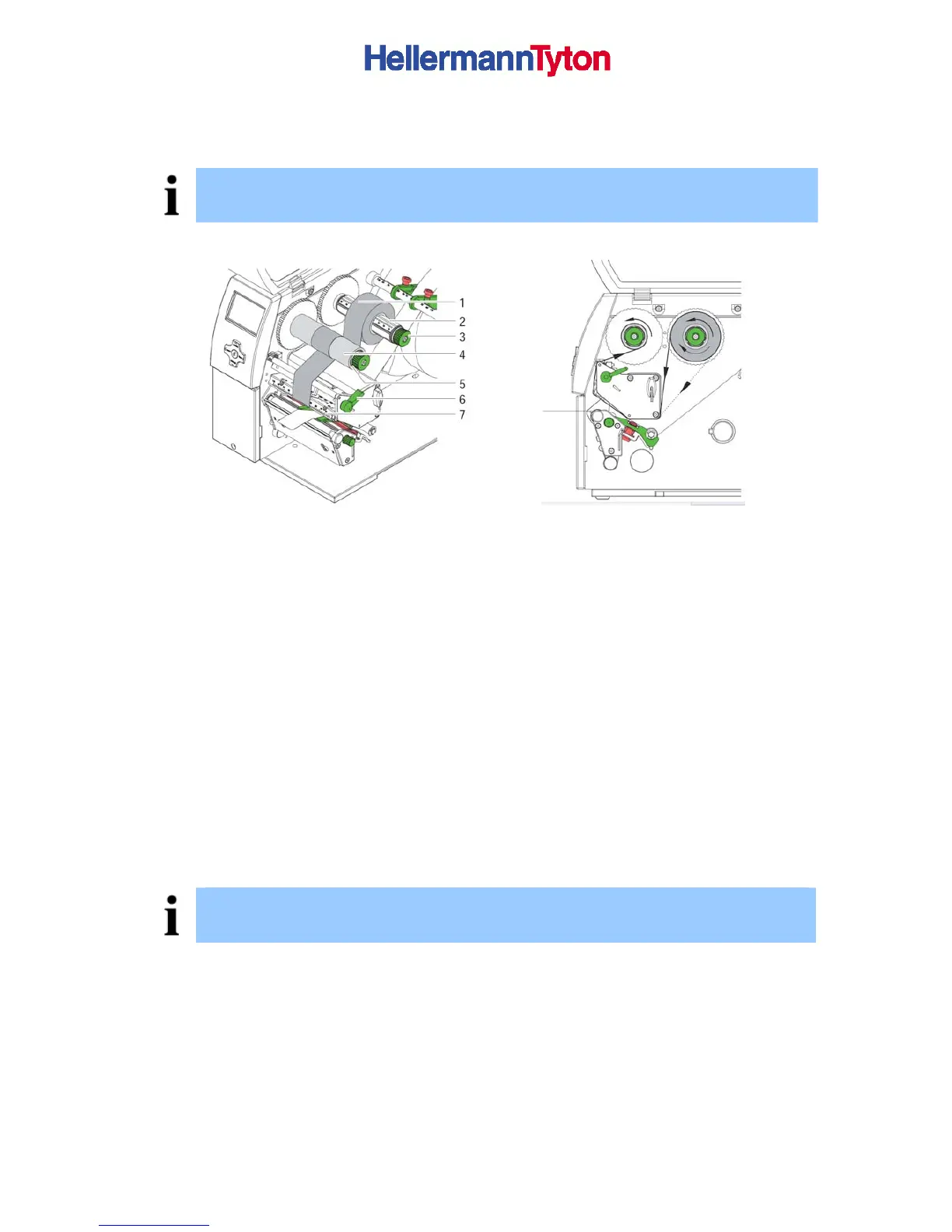
Figure 9 loading
Figure 10 Feed path of transfer ribbon
1. Clean print head before loading the transfer ribbon (see 7.3 on page 24)
2. Turn lever (4) anti clockwise to lift the print head.
3. Slide transfer ribbon roll (1) onto the ribbon supply hub (2) until it stops and so that the
colour coating of the ribbon faces downward when being unwound. No rotation direction
is specified for the ribbon supply hub (2).
4. Hold transfer ribbon roll (2) firmly and turn knob on ribbon supply hub (3) anti clockwise
until the transfer ribbon roll is secured.
5. Slide suitable transfer ribbon core onto the transfer ribbon take-up hub (4) and secure it
in the same way.
6. Guide transfer ribbon through the print unit as shown in Figure 10.
7.
Secure starting end of transfer ribbon to the transfer ribbon core (4) with adhesive tape.
Ensure anti clockwise rotation direction of the transfer ribbon take-up hub here.
8.
Turn transfer ribbon take-up hub (4) anti clockwise to smooth out the feed path of the
transfer ribbon.
9.
Turn lever (6) clockwise to lock the print head.
NOTICE!
To rewind the transfer ribbon use a core with a width between the width of the supply roll and
115 mm.



 To Next Page