EN
14/38 Rev. 02 / 11.2022 AB1203EN_SA
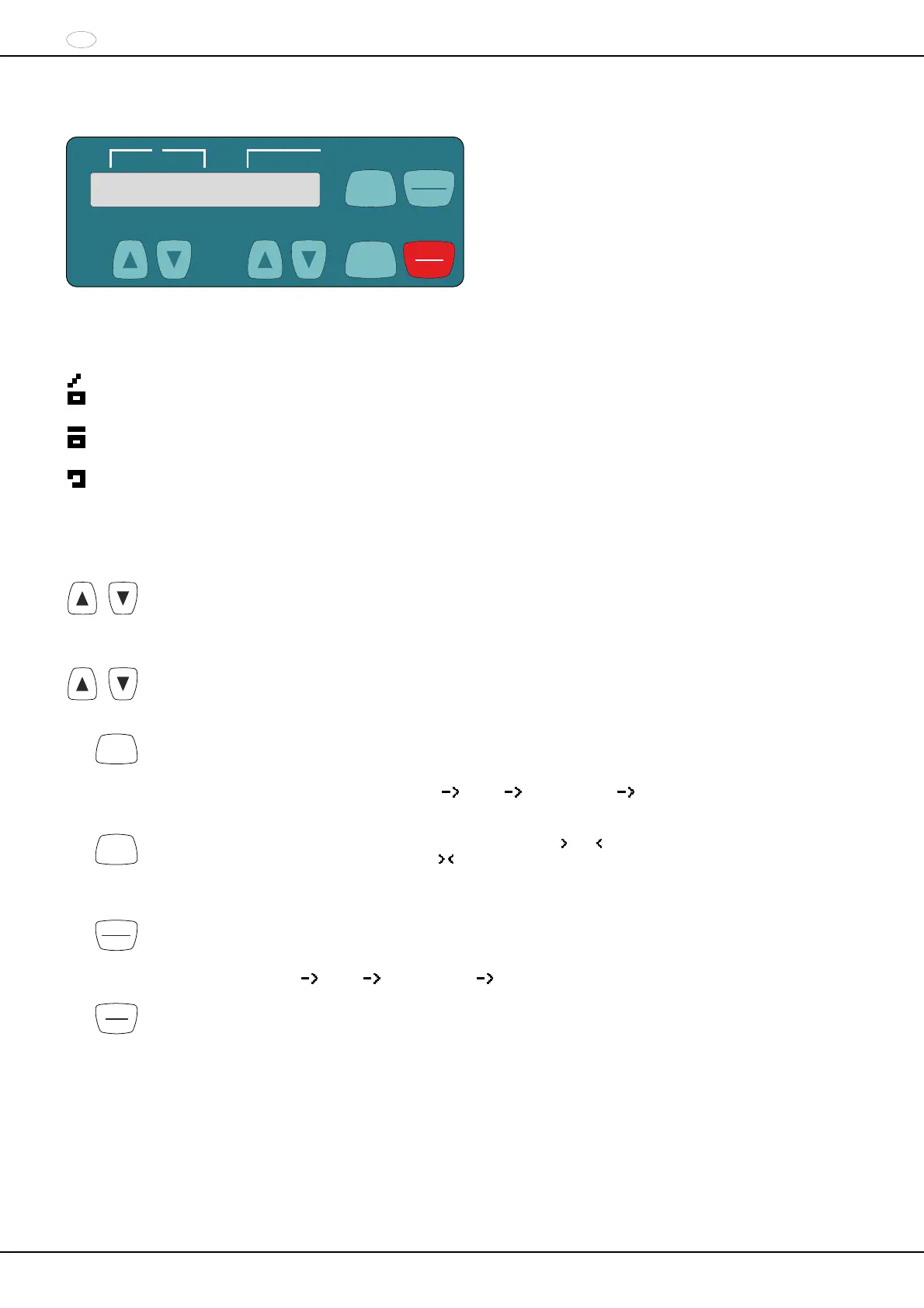
15 Operating and display elements
SELECT
t/min:s
RPM
>RCF<
RPM/RCF
t
RCF
STOP
OPEN
START
PULSE
15.1 Displayed symbols
Lid unlocked.
Lid locked.
Rotation display. The rotation display lights up, rotating counterclockwise, as long as the rotor is turning.
15.2 Control panel keys
RPM/RCF
Input the speed directly.
If the key is kept pressed, the value changes with increasing speed.
t
Input the runtime directly.
Adjustable in steps of 1 second up to a minute, and in steps of 1 minute starting from 1 minute.
Input the centrifuging parameters.
If the key is kept pressed, the value changes with increasing speed.
SELECT
Selection key for activating the individual parameters.
Every time the key is pressed, the next parameter is activated.
Call up the "MACHINE MENU" (keep the key pressed for 8 seconds).
In the "Machine Menu", select the menus "
Info", " Settings" and " Time & Cycles".
Scroll forward in the menus.
RCF
Switching between the RPM display (RPM) and RCF display (
RCF ).
RCF values are displayed in parentheses
.
RPM Speed
RCF : Relative centrifugal acceleration
START
PULSE
Start the centrifugation run.
Short-term centrifugation.
Centrifugation is run as long as the key is kept pressed.
Call up the menus "
Info", " Settings" and " Time & Cycles".
STOP
OPEN
Finish the centrifugation run.
The rotor runs down with a pre-selected brake stage.
Pressing the key twice triggers the Emergency Stop.
Unlock the lid.


 To Next Page
 Loading...