EN
AB1203EN_SA Rev. 02 / 11.2022 21/38
17.3 Short-term centrifugation
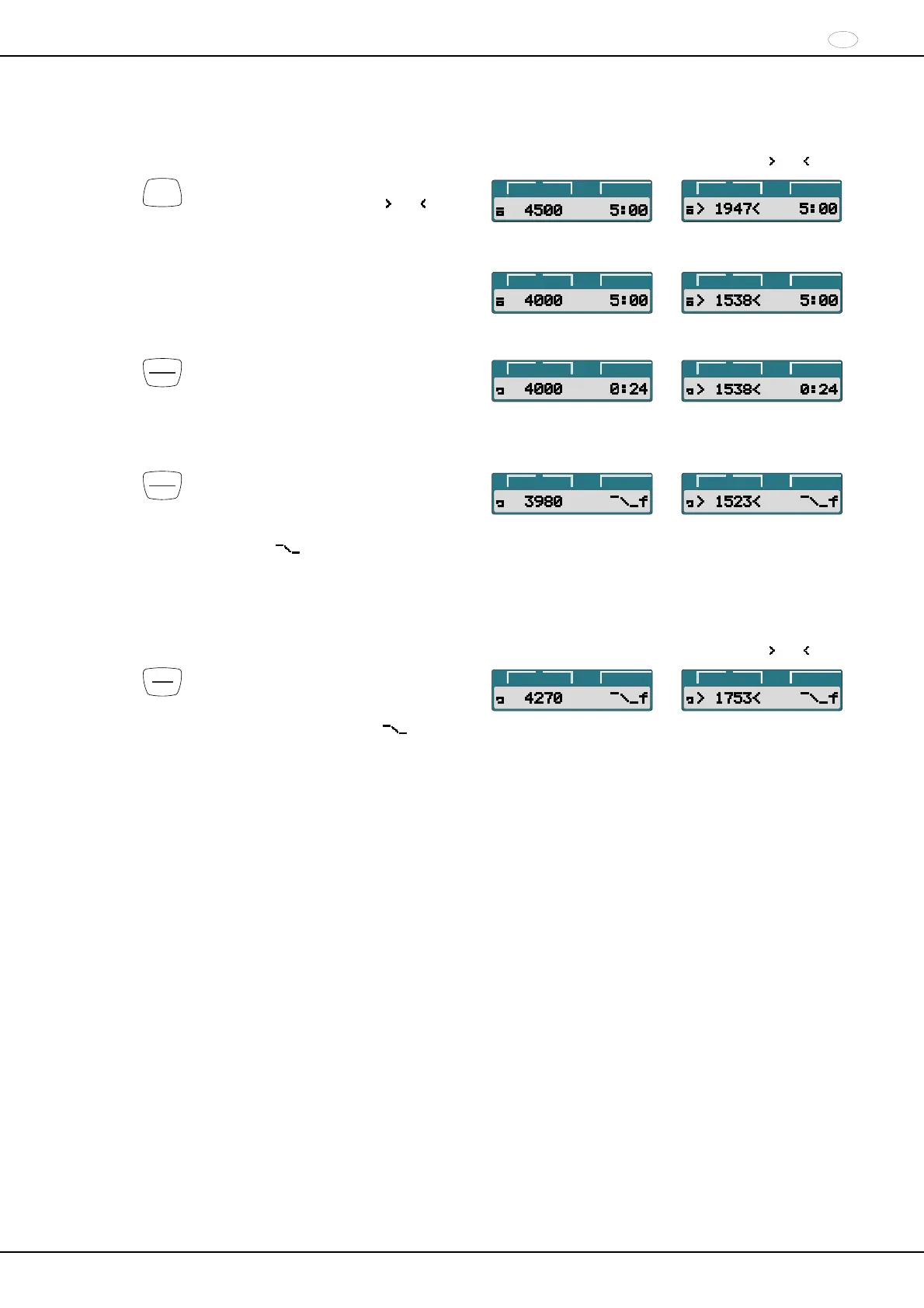
Example:
RPM display (RPM)
Example:
RCF display ( RCF )
RCF
Press the key to activate the RPM display
(RPM) or the RCF display ( RCF ) as
needed.
t/min:s
RPM
>RCF<
t/min:s
RPM
>RCF<
Enter the desired centrifugation parameters (see the
chapter “Entering centrifugation parameters”).
t/min:s
RPM
>RCF<
t/min:s
RPM
>RCF<
START
PULSE
Press the key and keep it pressed.
During the centrifugation run, the rotor
speed or the resulting RCF value and
elapsed time are displayed.
t/min:s
RPM
>RCF<
t/min:s
RPM
>RCF<
START
PULSE
Release the key again to end the
centrifugation run.
The run-out occurs with the set brake
stage. The brake stage is displayed.
Example
f.
t/min:s
RPM
>RCF<
t/min:s
RPM
>RCF<
18 Emergency Stop
Example:
RPM display (RPM)
Example:
RCF display (
RCF )
STOP
OPEN
Press the key twice.
During the Emergency Stop, the run-out
occurs with the “fast” brake stage (short
run-out time). Brake stage f is
displayed.
t/min:s
RPM
>RCF<
t/min:s
RPM
>RCF<

 To Next Page
 Loading...