Functions of the operating and
18
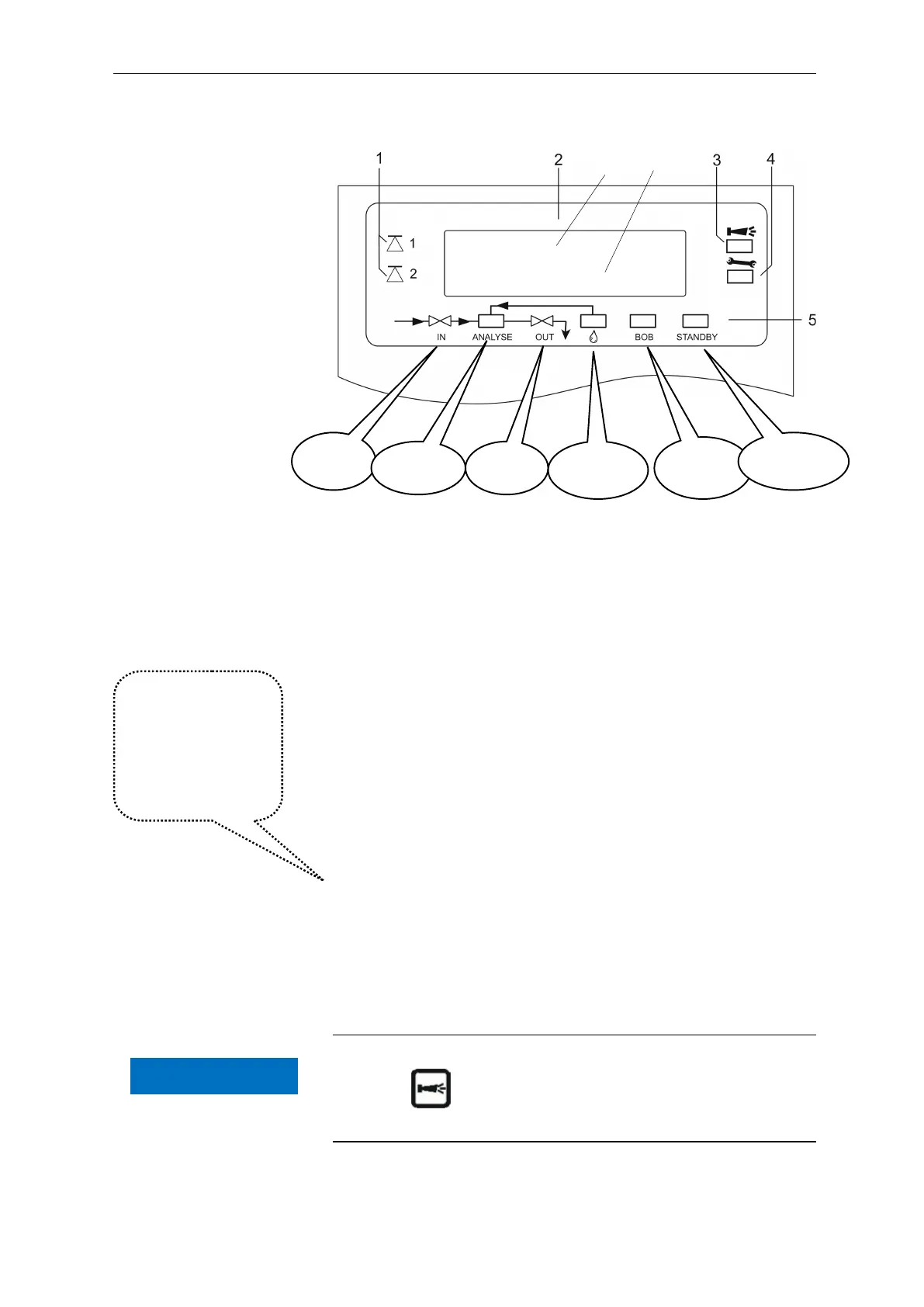
Display functions
1 Limit value status displays (red/green)
The display 1 illuminates red if limit value 1 has been reached or
exceeded. The display 1 illuminates green if the value falls below
the limit value. The same principle applies to limit value 2 and
display 2. Behaviour is completely opposite with switch function 4.
With switch function 5 both displays illuminate green if the
measured value is within the range of LV1 and LV2.
2 Text display (4 lines)
Displays the current analysis result as well as all important
statuses and programming data.
2a = the current measured value for measuring point 1 (M1) and
2 (M2) is displayed in line 2 and 3, e.g. M1: 17.0 mgl/l
Value exceeds the measuring range = ">" e.g. M1:
>50.0 mgl/l
2b = the set limit values LV1 and LV2 are displayed in line 4
3 Alarm (red)
Indicates malfunctioning/error message or warning message.
4 Maintenance message (yellow)
Indicates current maintenance requests
5 Status display of the active instrument components (line)
Six displays indicate the current instrument and analysis status
Cancelling error messages/warning messages
Press to acknowledge the message and, if necessary,
eliminate the cause of the fault.
All error and
warning messages
are alternately
shown in line 1 of
the standard
display!
Inlet
valve
Analysis
Outlet
Dosing
message
Without
function
Analysis
stop
2a 2b
Polymer
M1: 20.2 mg/l
1:0025.6 2:0015.4 mg/l
NOTE


 To Next Page