Password protection and basic
22
Enter the interval pause and the flush times
In >BASIC PROGRAM, select
=> PROGRAM VALUES=> FLUSH TIMES/INTERVAL
=> INTERVAL PAUSE
Enter the "INTERVAL PAUSE" in minutes (m)
(1 minute is preset)
Enter the "INTERNAL FLUSH TIME" in seconds (s)
(00 seconds (s) is preset)
Enter the "EXTERNAL FLUSH TIME" in seconds (s)
(00 seconds (s) is preset)
Press "ENTER" to complete all the entries
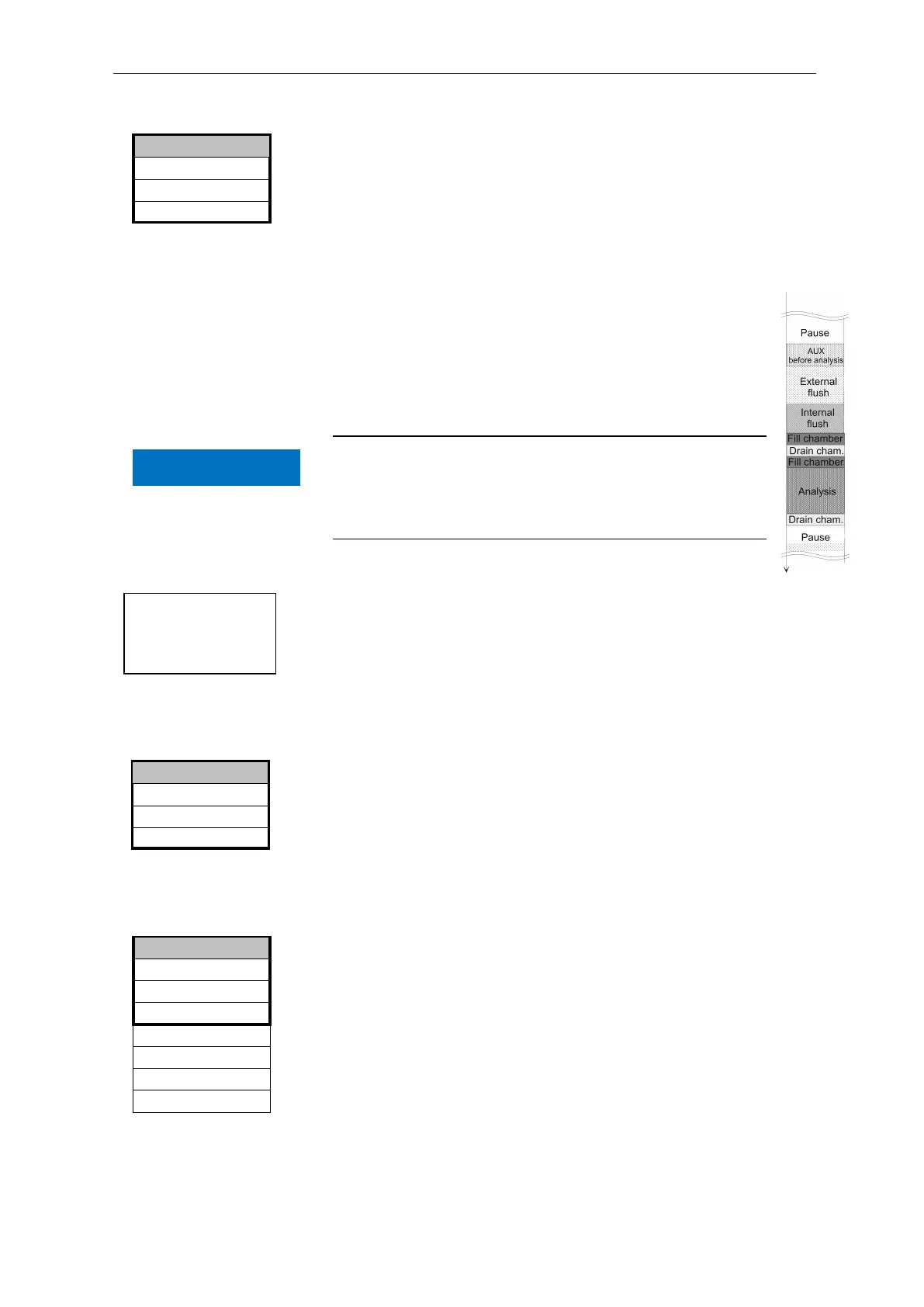
Duration of the analysis interval
The analysis interval is the addition of the "AUX before
analysis", "Internal flush" and "External flush" times, the
analysis duration and the pause (see diagram).
Minimum interval = 1 litre, maximum interval = 9999 litres. The
analysis is carried out once the programmed water quantity has been
measured. The line and the measuring chamber are flushed prior to
the analysis (observe the programmed flush times).
Selecting the volume control
In >BASIC PROGRAM, select
=> PROGRAM VALUES=> MODE OF OPERATION=> VOLUME
INTERVAL
Press "ENTER" to confirm the selection
The menu on the left appears.
Enter the respective flow rate in litres
Press "ENTER" to confirm the entry
Selecting the type of water meter
Select the >BASIC PROGRAM menu
=>PROGRAM VALUES=> WATER METER=> TYPE OF WATER
METER
Select the water meter constant (litre/impulse)
(100 litres/impulse " * " is factory set)
Press "ENTER" to confirm the selection
5 Litres/Impulse
2,5 Litres/Impulse
10 Litres/Impulse
100 Litres/Impulse *
500 Litres/Impulse
1000 Litres/Impulse
1 LITRE/IMPULSE
>TYPE OF WATER METER
▼▲
ME
Interval pause 01m
External flush time 00s
INTERNAL FLUSH TIME 000s
>FLUSH TIMES/INTERVAL ▼▲
ME
Volume controlled
Start via water meter
0000l
>VOLUME INTERVAL ▼▲
ME
Analysis
interval
Sequence of
times
NOTE


 To Next Page