EasyManua.ls Logo

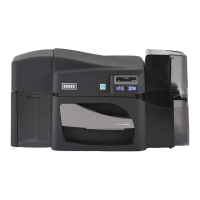
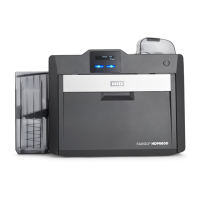
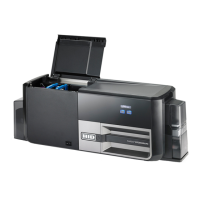
HID Fargo DTC5500LMX - User Manual

HID Fargo DTC5500LMX
68 pages
Print Icon
To Next Page IconTo Next Page
Loading...
hidglobal.com
FARGO®
DTC5500LMX CARD PRINTER
USER GUIDE
PLT-02496
Version: 1.0
November 2015
Model X002100

Table of Contents

Other manuals for HID Fargo DTC5500LMX

Questions and Answers

  • Z
    Zachary FrancisSep 19, 2025
    What does '# 111 Head Loading' mean on my HID Printer?
    • K
      Kristie GonzalezSep 22, 2025
      An unrecoverable error has occurred during printing. Reset the printer and try again. If this problem persists, call for technical assistance.
  • M
    millershannonAug 25, 2025
    What does '# 112 Card Jam/Align error' mean on my HID Printer and how to fix it?
    • M
      moralesemilyAug 25, 2025
      A card is jammed in the print station or card flipping area of the Printer. Clear the jam and press the Pause button to continue.
  • H
    Henry RodriguezAug 26, 2025
    What does '# 110 Card Jam/Align error' mean on my HID Printer?
    • J
      Jasmine RiggsAug 26, 2025
      A card is jammed in the print station or card flipping area of the printer. To fix this, clear the jam and press the Pause button to continue.
  • B
    Brenda WhiteAug 27, 2025
    What to do if my HID Printer says '# 91 Ribbon Out'?
    • J
      Jeffrey WrightAug 27, 2025
      The print ribbon has run out. Install a new ribbon. Press the Pause button to continue printing, or the ON/OFF button to cancel the print job.
  • B
    Becky FrenchSep 23, 2025
    What does '# 144 EEPROM Corrupt EEPROM Read Error' mean on my HID Printer?
    • S
      Shawn GravesSep 23, 2025
      EEPROM restored with factory default values. If changes were made in the Advanced Setting tab in the printer driver, click the Default button to reset these numbers. Reset the printer and try again. If this problem persists, call for technical assistance.
  • T
    Tina AllenSep 23, 2025
    How to fix '# 128 # 170 Calibrate Ribbon' error on HID Printer?
    • P
      Phillip JonesSep 23, 2025
      The print ribbon sensor is out of calibration or has failed. Calibrate the ribbon sensor. Check for material blocking sensor and try again.
  • D
    David BradleySep 10, 2025
    What does '# 45 No Flip Module installed' mean on my HID Printer?
    • L
      lwoodsSep 10, 2025
      Request to print on 2nd side of card, but no flipper is installed. If a Flipper Module is present, ensure that the Print Both Sides option in the printer driver is set correctly. Install a flipper module.
  • C
    castillomonicaSep 12, 2025
    What does '# 106 Job Data Error' mean on my HID Printer?
    • D
      Daniel MossSep 12, 2025
      The print data sent to the printer is corrupt or has been interrupted. Check the interface cable. Select the ON/OFF button to cancel this print job and then resend the job.
  • J
    jeffery96Sep 4, 2025
    What causes '# 109 # 113 Ribbon Release Error' on my HID Printer?
    • M
      martinezkyleSep 4, 2025
      The printer cannot locate the next ribbon panel in order to release the ribbon from the card. Ensure that the ribbon is not stuck to the card. Replace the ribbon. Recalibrate the ribbon sensor. If the ribbon is broken, repair by taping the ribbon back onto the take- up core and manually advance to the next panel. Press the Pause button to continue.
  • A
    Angelica HuertaSep 1, 2025
    What to do if my HID Printer says '# 25 Ribbon not Installed'?
    • T
      Tracy DanielsSep 2, 2025
      No ribbon is installed in the printer. Install a ribbon and retry.

HID Fargo DTC5500LMX Specifications

General IconGeneral
BrandHID
ModelFargo DTC5500LMX
CategoryPrinter
LanguageEnglish

Related product manuals