Maintenance | 8
Hidrostal AG 39 / 49
NOTICE
Impeller loosens with wrong impeller rotation!
Risk of damage to property!
• Make sure that the rotational direction has been checked before
commissioning the replacement pump.
NOTE
Wrong rotational direction.
Drastically reduced flow rate!
• In case of incorrect rotational direction, simply swap over the pump's
cable conductors or speed which is in the wrong rotational direction at the
corresponding starting switch in the control panel.
• Never switch the primary feeders to the control panel. This would change
the rotational field for all consumer components.
NOTE
Do not suspend and switch on the pump! When switched on, the pump
would turn counter to the motor's direction of rotation and immediately turn
around its own axis!
1. Make sure that the pump is positioned in a vertical position on a surface
and attach lifting gear on the drive unit to prevent it from tipping.
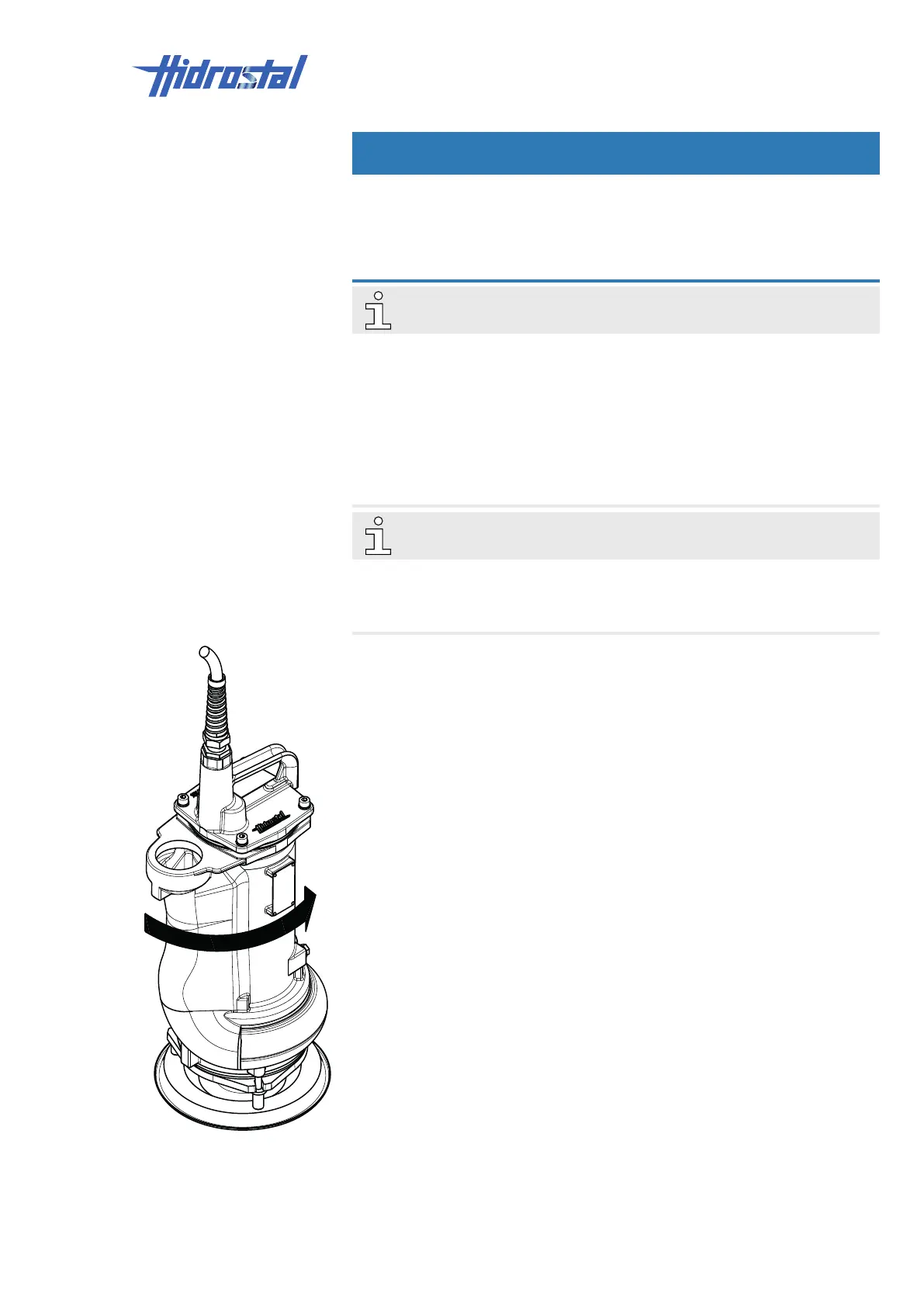
2. Run the pump for approx. one second and observe the direction of the
starting jolt.
ü When viewed from above, if the pump jolts in an anti-clockwise direction
(see adjacent figure):
3. The direction of rotation is correct, proceed with Pt.5.
ü When viewed from above, if the pump jolts in a clockwise direction:
4. The direction of rotation is incorrect.
With direct start-up: switch 2 of the 3 cable conductors for the tested
rotation speed on the control panel.
With a star/triangle start-up configuration: exchange U1 with W1 and U2
with W2 in the control panel.
5. On pump units with several speeds, repeat the test for each speed.
6. Commission the pump.



 To Next Page