User Manual of Network Video Recorder - User Manual
28
8. To initialize the HDD, click the Init button. Initialization removes all the data saved in the HDD.
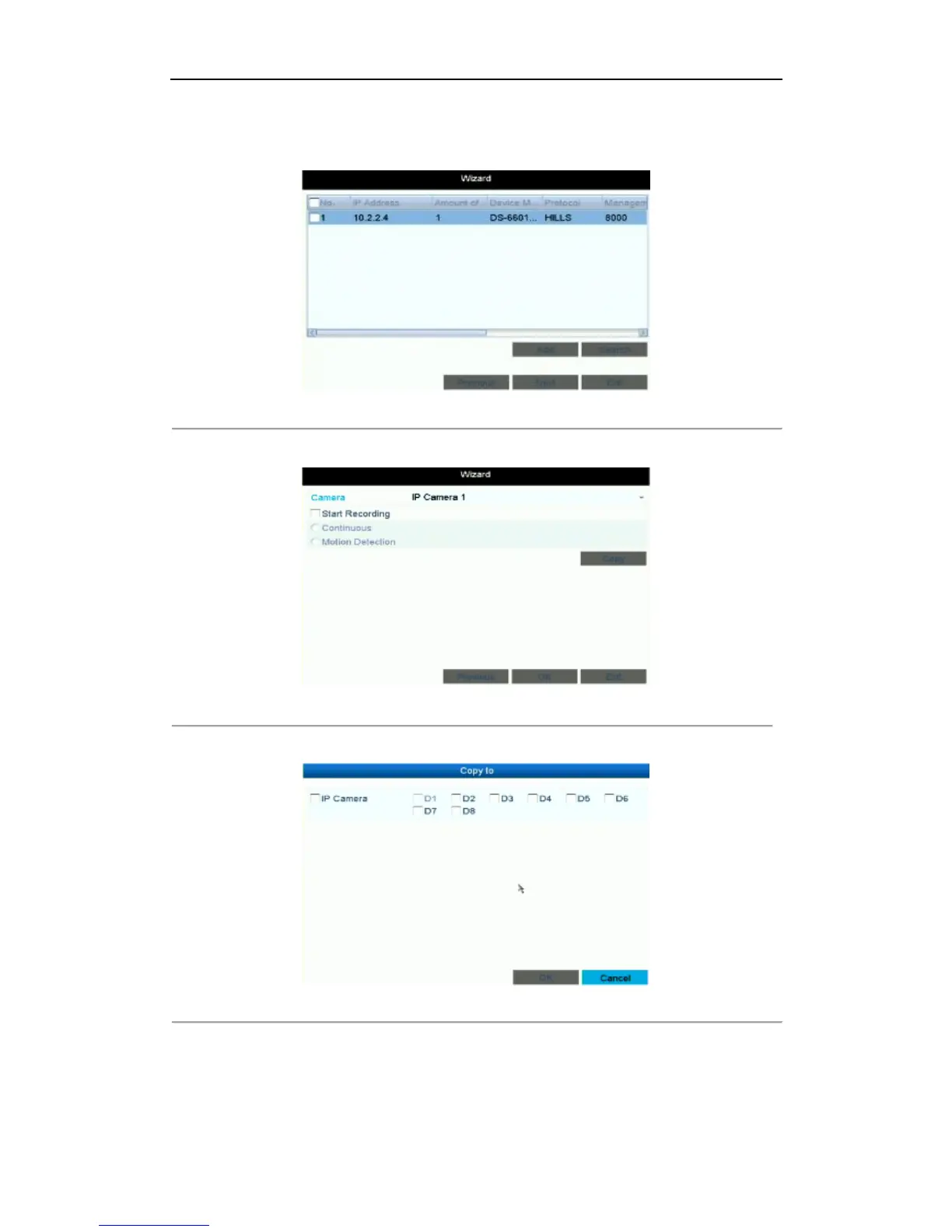
9. Click Next button. You enter the Adding IP Camera interface.
10. Click Search to find online IP Camera. Select the IP camera to be added, and click the Add button.
Figure 2. 7 Search for IP Cameras
11. Click Next button. Configure the recording for the searched IP Cameras.
Figure 2. 8 Record Settings
12. Click Copy to copy the settings to other channels, as shown in Figure 2. 9.
Figure 2. 9 Copy Record Settings
13. Click OK to complete the startup Setup Wizard.



 To Next Page