(APPENDIX II) CONTROL UNIT SCREENS | PAGE 84
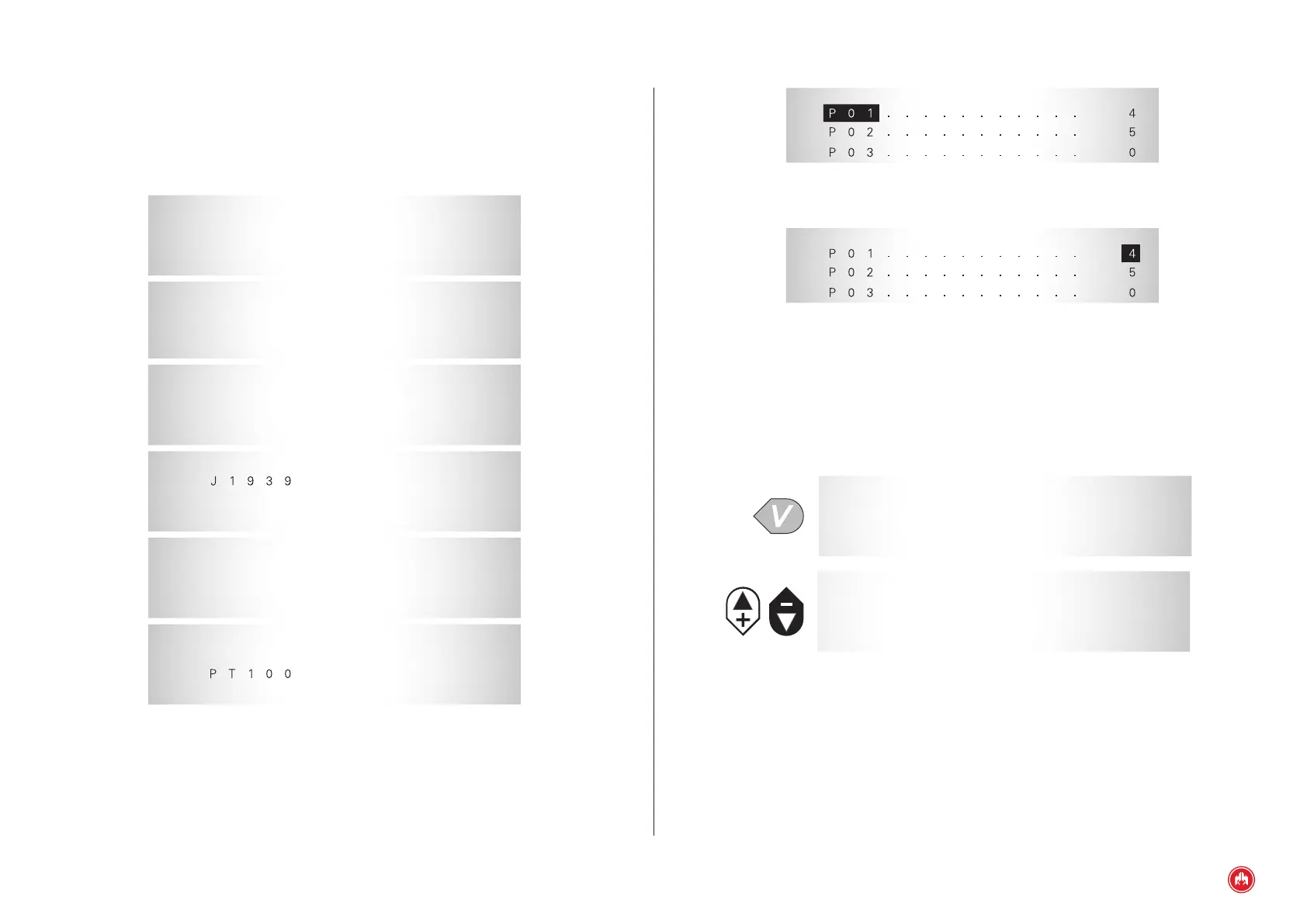
* * * * MEASUREMENTS * * * *
Fig.2
No. of parameters
* * * * MEASUREMENTS * * * *
Fig.3
Value
10.3.1 TEXTS
We can associate a text to the programmable inputs, maximum 15 characters.
The control unit has an alphabet A-Z and numbers 0-9.
* * * * TEXTS * * * *
1 . PROGRAMMABLE 1
2 . PROGRAMMABLE 2
3 . PROGRAMMABLE 3
* * * * TEXTS * * * *
4 . SCREEN
10.3.2 CUSTOMISING THE PROGRAMMABLE ALARMS TEXT
From the programming texts option of the control unit it is possible to customise
the texts associated with the programmable alarms.
10.3 CONTROL UNIT PROGRAMMING
To enter each menu select it with the cursor (+) (-), and conrm (v):
The main menu is restricted to a minimum of a maintenance level password.
* * * * PARAMETERS * * * *
1 . Drawing dimension
2 . Times
3 . Regulations
* * * * PARAMETERS * * * *
4 . Thresholds
5 . Alarms
6 . Programming I / O
* * * * PARAMETERS * * * *
7 . Texts
8 . Equipment list
9 . Selector
* * * * PARAMETERS * * * *
10 .
11 . CCLAN
12 . Sensors
* * * * PARAMETERS * * * *
13 . Synchronisation
14 . Second Zero
15 . programming I / O
* * * * PARAMETERS * * * *
16 . Screen
17 .
Fig.1
Control unit programming


 To Next Page