Operation instructions
Vertical airflow(Horizontal airflow) is automatically adjusted to a certain angle in accordance
with the operation mode after turning on the unit.
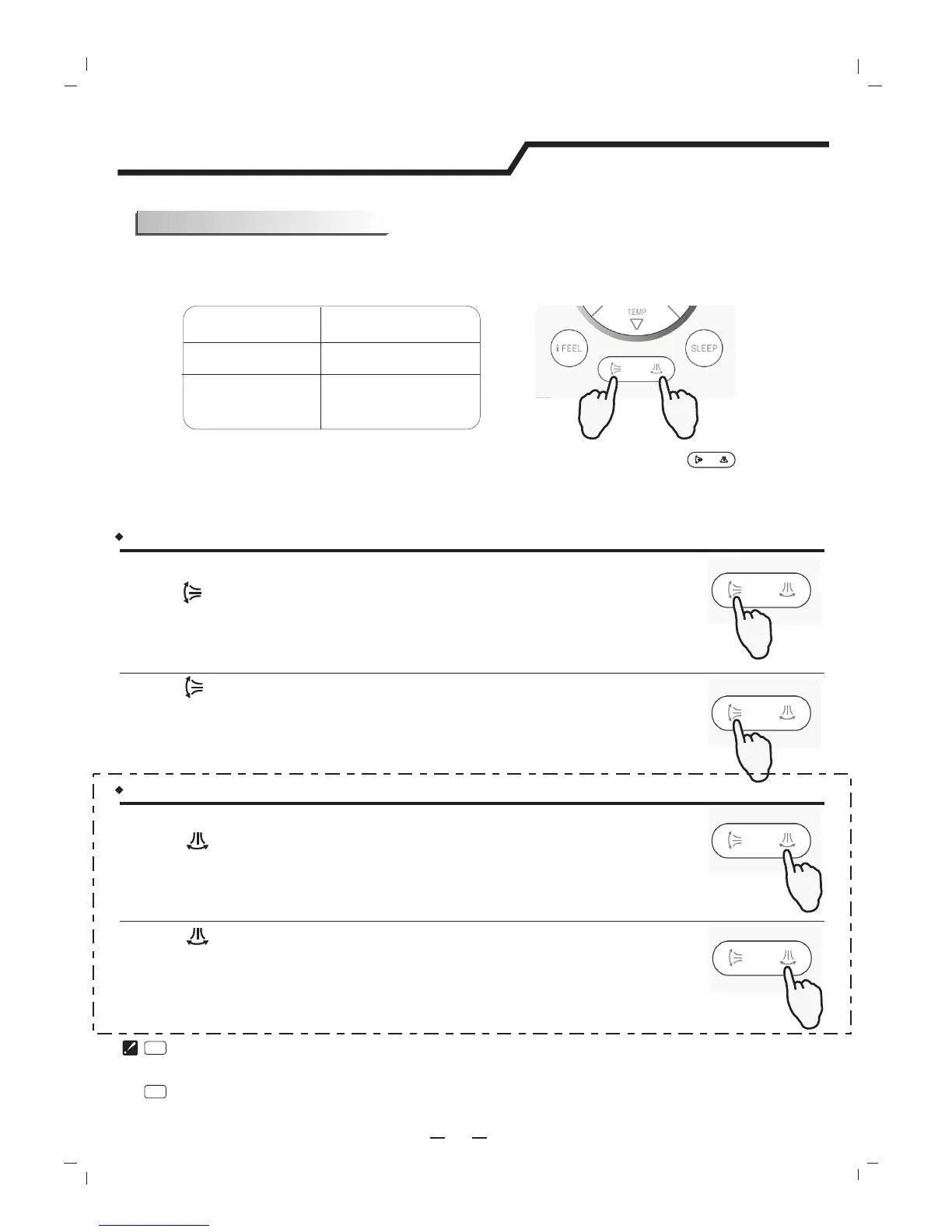
The direction of airflow can bealso adjusted to your own requirement by pressing the " " button of
the remote controller.
Operation mode
Direction of airflow
COOLING, DRY
*HEATING,
FAN ONLY
horizontal
downward
Vertical airflow control (with the remote controller)
Using remote controller to set various angles of flow or specific angle as you like.
Do not turn the vertical adjustment louvers manually, otherwise malfunction may occur. If that happens, turn off the unit
first and cut off the power supply, then restore power supply again.
It is better not to let the vertical adjustment louver tilt downward for a long time at COOLING or DRY mode to prevent
condensed water from dripping.
*Heating mode is only available for heat pump models.
Airflow direction control
Press " " button once.
Press " " button again .
A
B
The louvers swing to a suitable angle as desired.
The vertical adjustment louver will swing up and down automatically.Result :
Result :
9
PRESS
PRESS
PRESS
PRESS
Horizontal airflow control (with the remote controller)
Using remote controller to set various angles of flow or specific angle as you like.
Press " " button once.
Press " " button again .
The horizontal adjustment louver will swing up and down automatically.
The louvers swing to a suitable angle as desired.
Result :
Result :
PRESS
PRESS
NOTE:If the unit without four ways airflow function,you can adjust
horizontal airflow by yourself.




 To Next Page