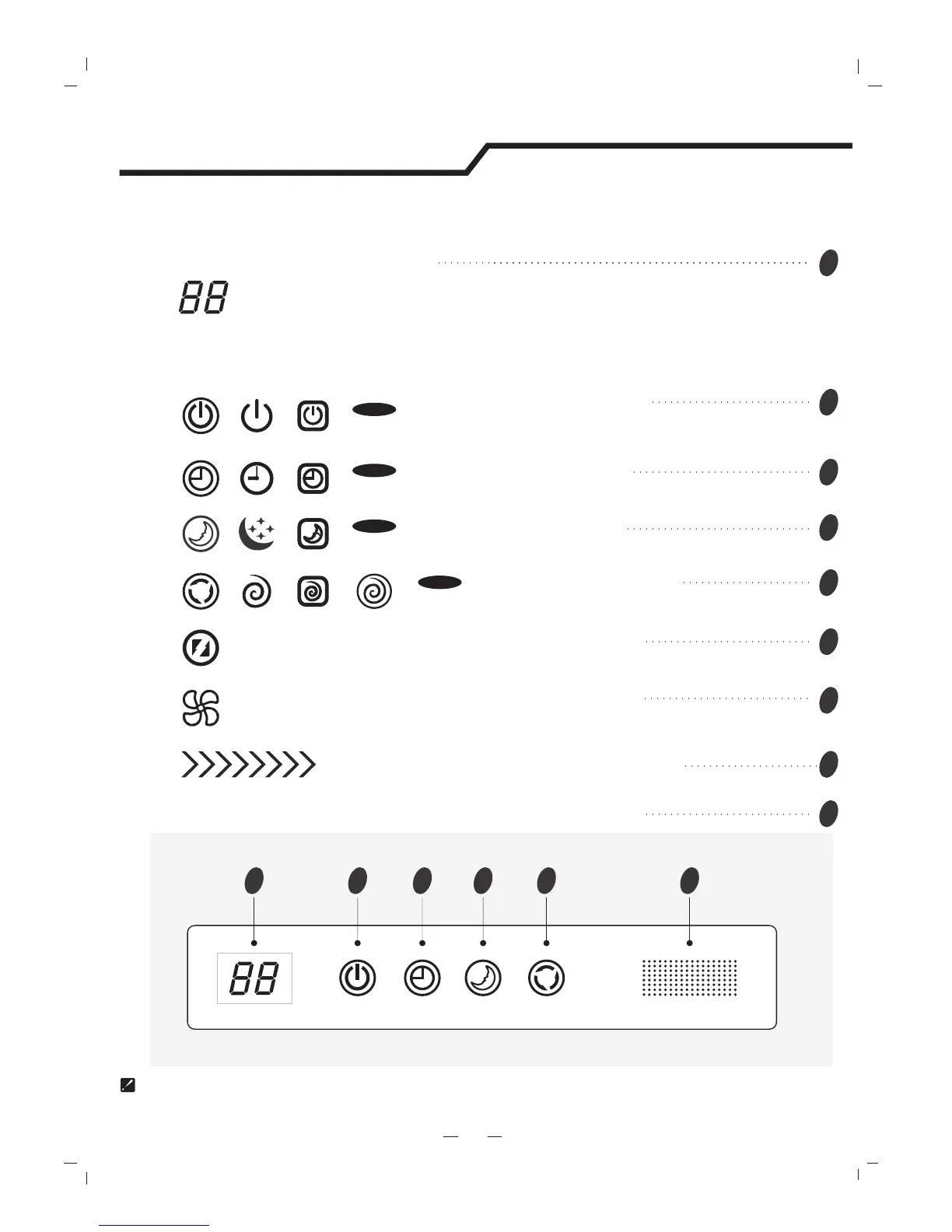
The symbols may be different from these models, but the functions are similar.
Display introduction
5
Running indicator
It lights up when the AC is running.
It flashes during defrosting.
Timer indicator
It lights up during set time.
Sleep indicator
It lights up in sleep mode.
Compressor indicator
It lights up when the compressor is on.
Display set temperature.
It shows FC after 200 hours of usage as reminder to clean the filter.
After filter cleaning press the filter reset button located on the indoor unit behind the front
panel in order to reset the display.(optional)
Temperature indicator
1 2 3 4 5 9
VG/VL series
Signal Receptor
Timer
Comp.
Run
Sleep
Super indicator
It lights up in super mode.
2
3
4
5
1
9
6
Mode indicator
Heating displays orange,others display white
7
Fan speed indicator
8




 To Next Page