Operation instructions
Timer mode
Note: It is similar to set TIMER OFF, you can make the appliance
switch off automatically at your desired time.
It is convenient to set the timer on with TIMER ON/OFF buttons when you go out in the morning to achieve a
comfortable room temperature at the time you get home. You can also set timer off at night to enjoy a good
sleep.
12
QUIET mode
In this mode, the air conditioner will work with low noise performance by low compressor frequency and low
fan speed. This mode is only available for inverter models.
Note: Press MODE.FAN.SMART.SUPER button cancel QUIET mode..
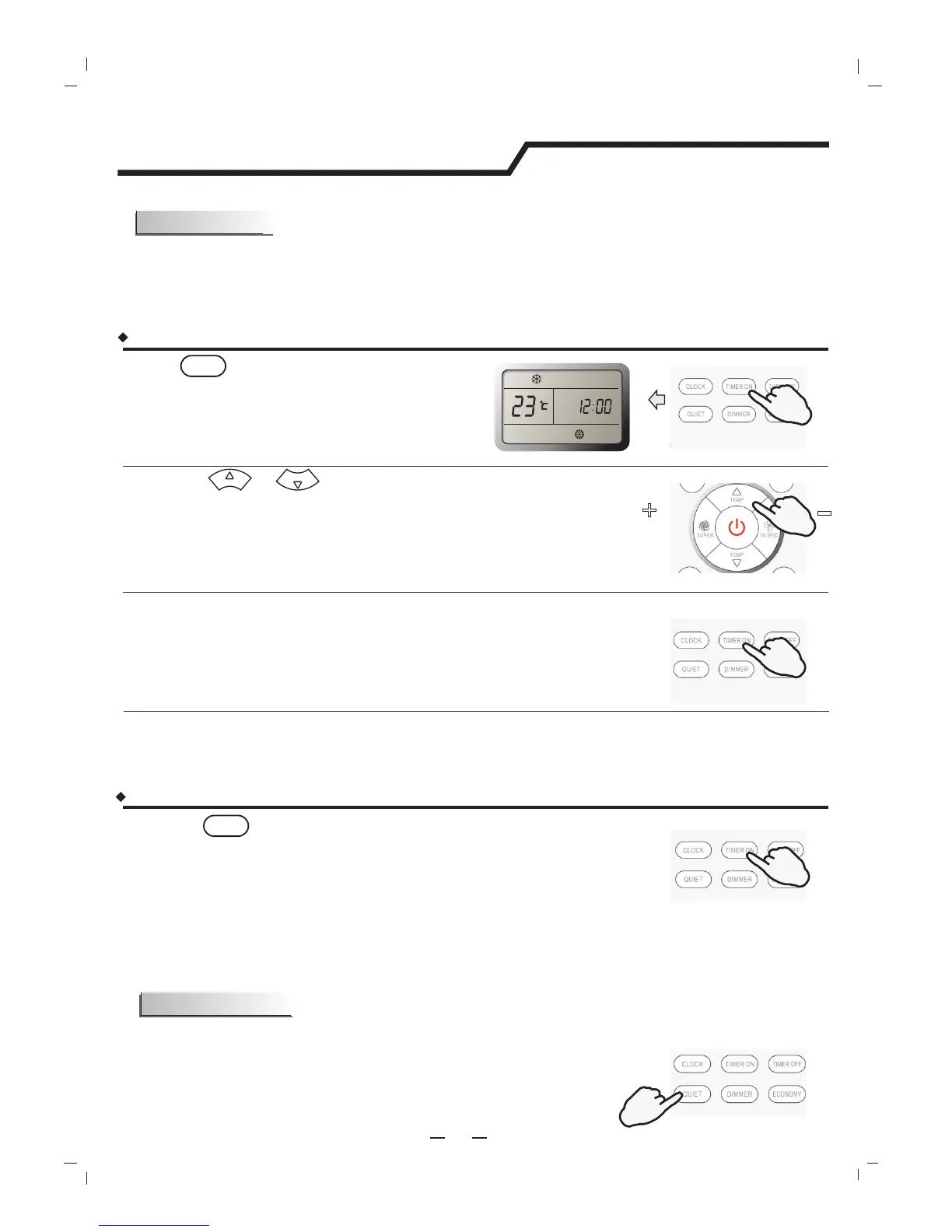
Press the or button.
TEMP.
TEMP.
Once to increase or decrease the time setting by 1 minute.
One and a half seconds to increase or decrease the time setting
by 10 minute.
For a longer time to increase or decrease the time by 1 hour.
A "beep" can be heard.
The TIMER indicator on the indoor unit lights up.
"ON" stops flashing.
When your desired time displayed on LCD, press the TIMER ON button and confirm it.
TIMER ON
After the set timer displayed for 5 seconds the clock will be displayed on the LCD of the remote controller
instead of set timer.
Result :
Result :
Press button.
ON
Press the button again.
A "beep" can be heard and the indicator disappears,
the time on mode has been canceled.
Result :
How to cancel TIMER ON?
TIMER ON
How to set TIMER ON?
Result :
“ON 12:00" flashes on the LCD.
1.
2.
3.
4.
PRESS
PRESS
PRESS
PRESS
PRESS




 To Next Page