5. INSTALLATION AND TEST
13
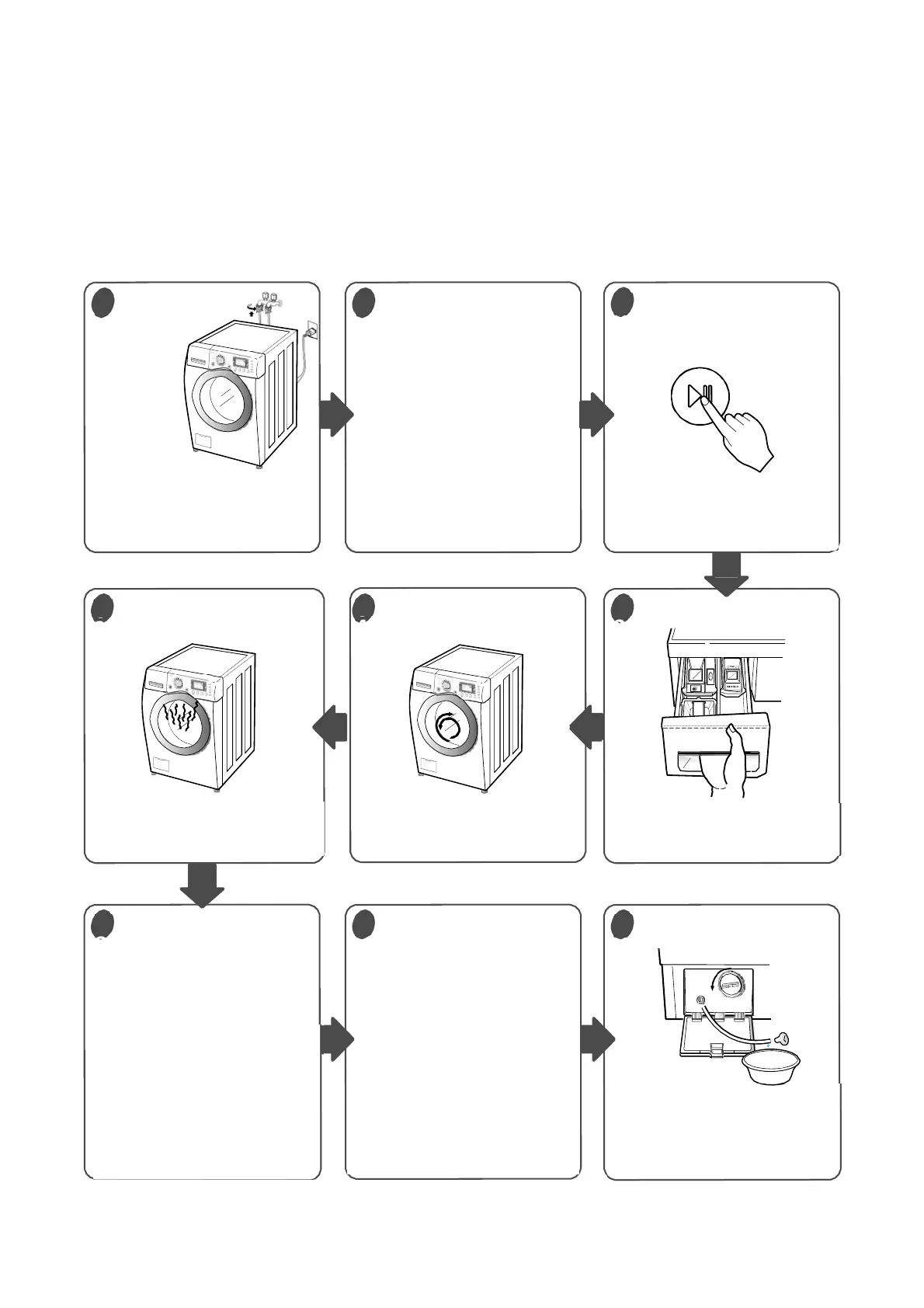
Carry out self-inspection on washing machine as per Figure 8-1 or carry out trial
run as shown in figure below
[CAUTION] Before carrying out inspection in this way, please turn on the special function mode as per
Figure 8-2; after the inspection is finished, please turn off the special function mode, otherwise, it may
lead to mal-operation of users and further affect the normal usage of washing machine.
6
Connect the power plug to the
outlet.
Connect the inlet hose.
The “door lock icon” on display
screen is on if the door has
locked.
Display the present temperature
as per Figure 8-2
Check if the drum rotates
clockwise and anticlockwise
Check if water is supplied
through the detergent dispenser
During water draining, check
the drain and spin functions.
After the spinning ends,
The“ door lock icon” on display
screen is flickering if the door
execute unlocking operation.
If service is needed during
check, remove the remaining
water by pulling out hose cap
8
1
2
3
6
5 4
7 9
Check the water supply
Check the automatic
reverse rotation
Check the water heating
function
Check the drain and
Spin functions.
Water removal
Turn the knob to a
short program through
“Off” position.
Set the
laundering temperature
Turn the knob to “Off”
Position for 3 seconds,
to turn off the machine.
Press the “Start/Pause”
button
Preparation
For washing


 To Next Page