4-5 Control Functions
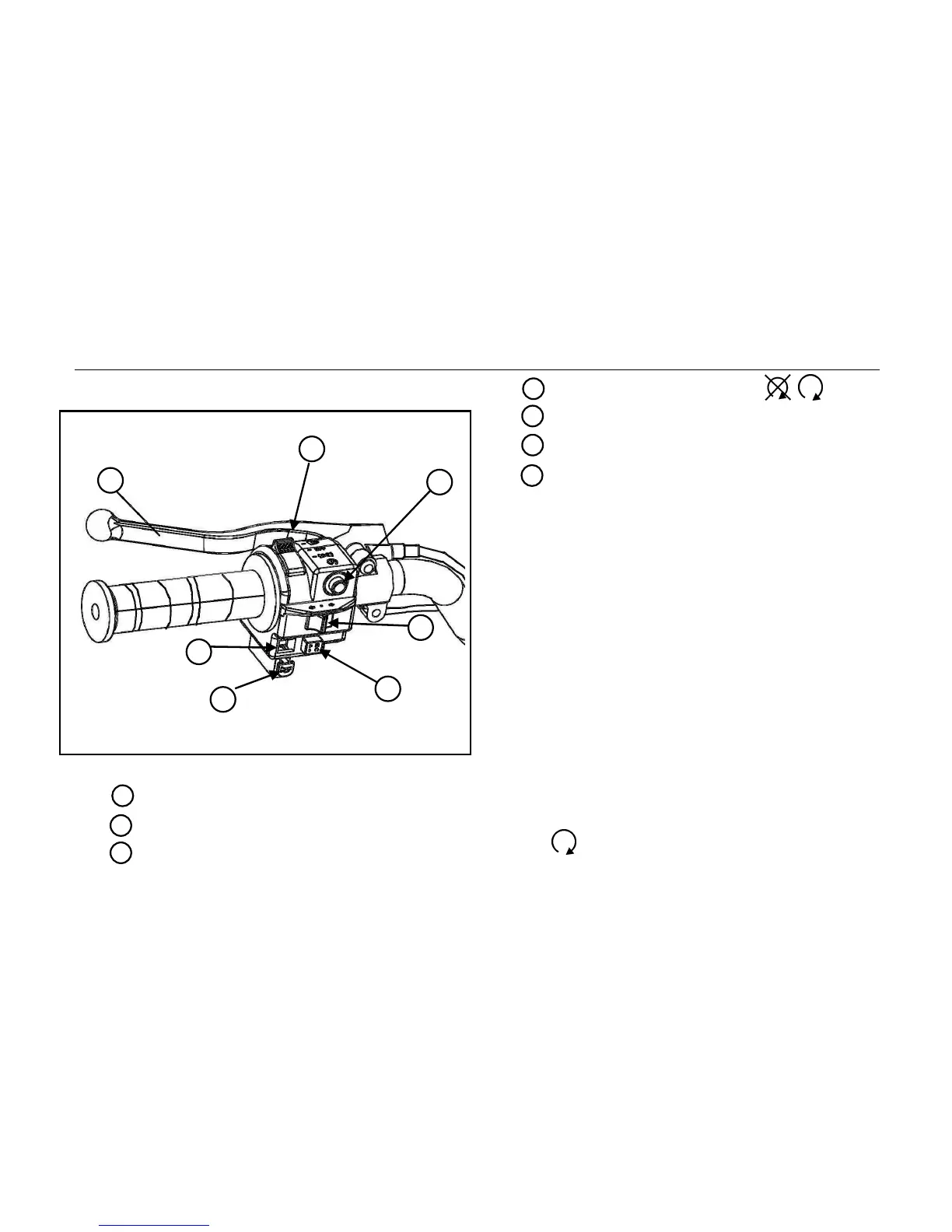
Left Hand Controls
1 Light switch
2 Electric start button
3 Turn signals
4 Emergency shut off button
/
5 Horn
6 Hazard Lights
7 Left hand brake lever and parking brake
Light Switch
Turn lights on and off with the light switch.
There are 3 positions: High beam, Off,
Parking
Electric start button
To start the engine the Electric start button
needs to be depressed until engine starts.
Note: In order for the electric start button to
start the engine the Main Key switch needs to
be placed in the “ON” position and the
Emergency stop button needs to be placed in
the on position.



 To Next Page