EXTERNAL EQUIPMENT SETUP
■Toavoiddamaginganyequipment,neverpluginanypowercordsuntilyouhave
nishedconnectingallequipment.
HD Receiver Setup
Connecting with a component cable
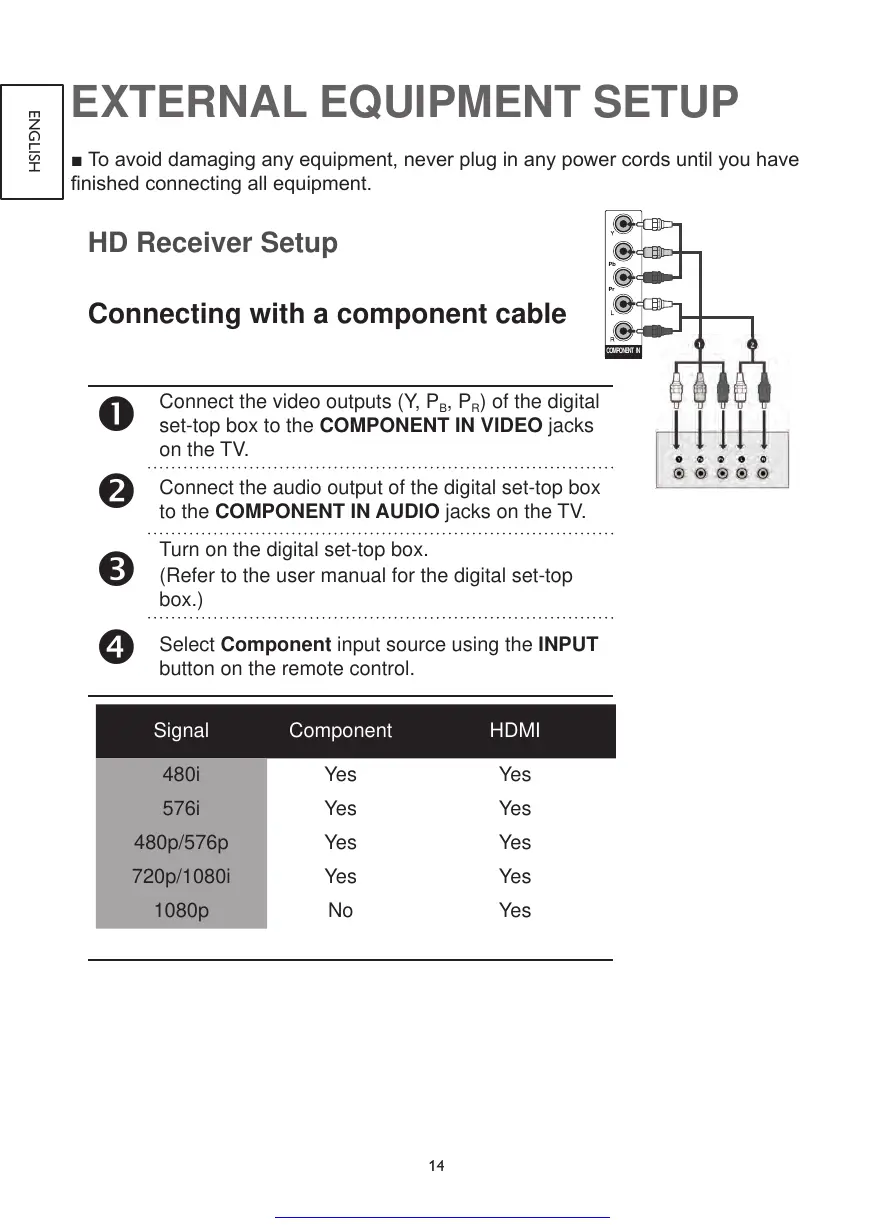
Connect the video outputs (Y, P
B
, P
R
) of the digital
set-top box to the COMPONENT IN VIDEO jacks
on the TV.
Connect the audio output of the digital set-top box
to the COMPONENT IN AUDIO jacks on the TV.
Turn on the digital set-top box.
(Refer to the user manual for the digital set-top
box.)
Select Component input source using the INPUT
button on the remote control.
Signal Component HDMI
480i Yes Yes
576i Yes Yes
480p/576p Yes Yes
720p/1080i Yes Yes
1080p No Yes



 To Next Page