VCR or DVD Setup
■ Toavoidpicturenoise(interference),allowadequatedistancebetweenthe
VCR and TV.
■ If4:3pictureformatisusedforanextendedperiod,thexedimagesonthe
sides of the screen may remain visible.
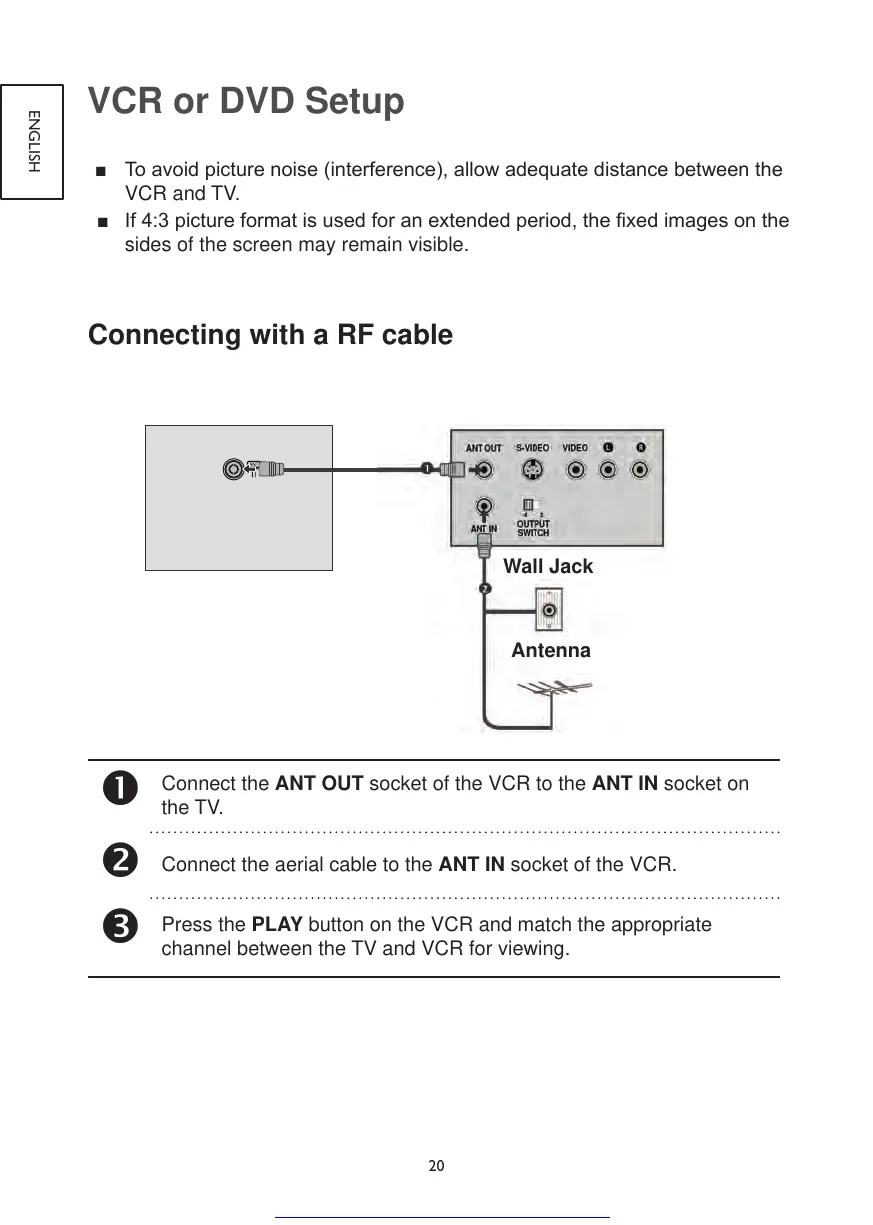
Connecting with a RF cable
Connect the ANT OUT socket of the VCR to the ANT IN socket on
the TV.
Connect the aerial cable to the ANT IN socket of the VCR.
Press the PLAY button on the VCR and match the appropriate
channel between the TV and VCR for viewing.
Antenna
Wall Jack


 To Next Page