Common Interface(CI)
This function enables you to watch some encrypted services (pay services). If
you remove the CI Module, you cannot watch pay services.
When the module is inserted into the CI slot, you can access the module menu.
To purchase a module and smart card, contact your dealer. Do not repeatedly
insert or remove a CAM module from the TV. This may cause a malfunction.
When the TV is turned on after inserting a CI Module, you may not have any
sound output.
This may be incompatible with the CI module and smart card.
CI (Common Interface) functions may not be possible depending upon the
country broadcasting circumstances.
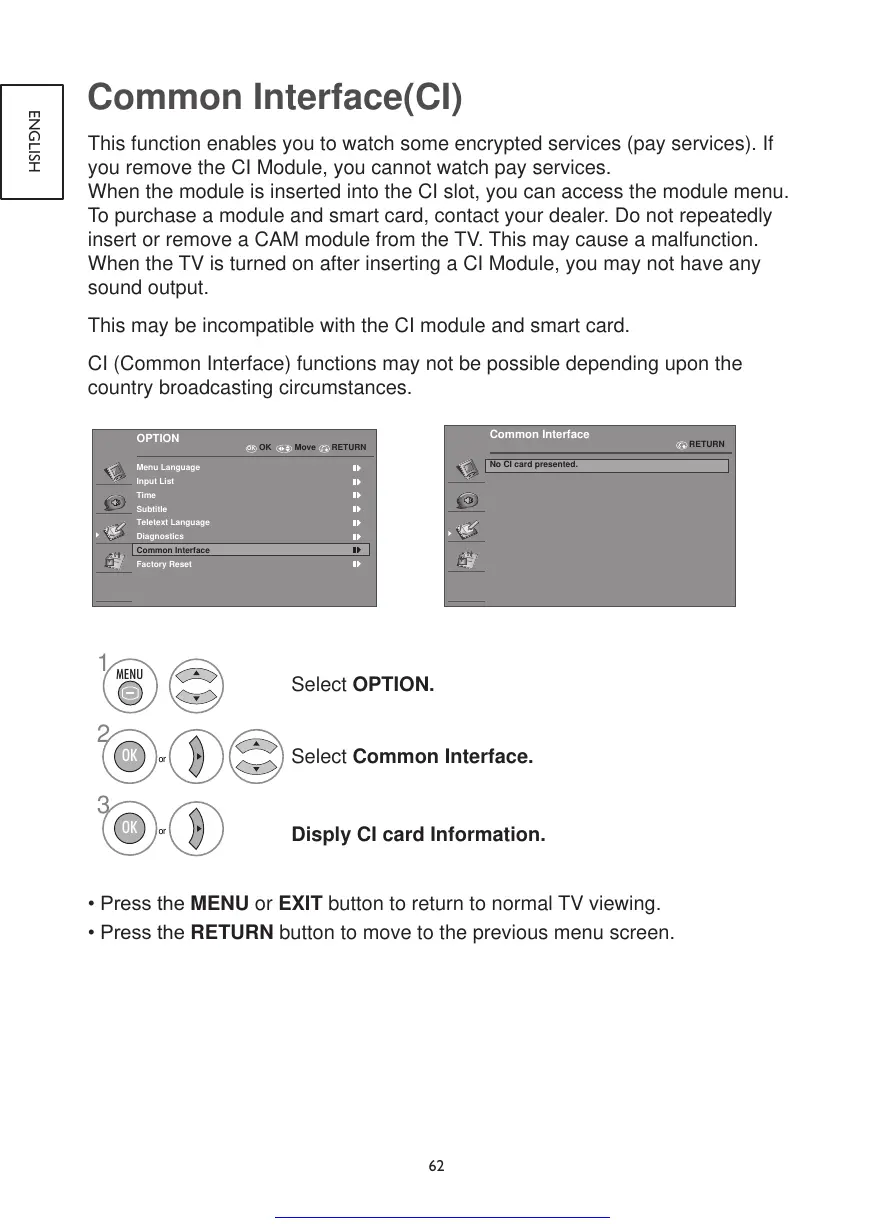
Select OPTION.
Select Common Interface.
Disply CI card Information.
•PresstheMENU or EXIT button to return to normal TV viewing.
•PresstheRETURN button to move to the previous menu screen.



 To Next Page